
Area of Regular Hexagon
Loading the math board and drawing, please wait…
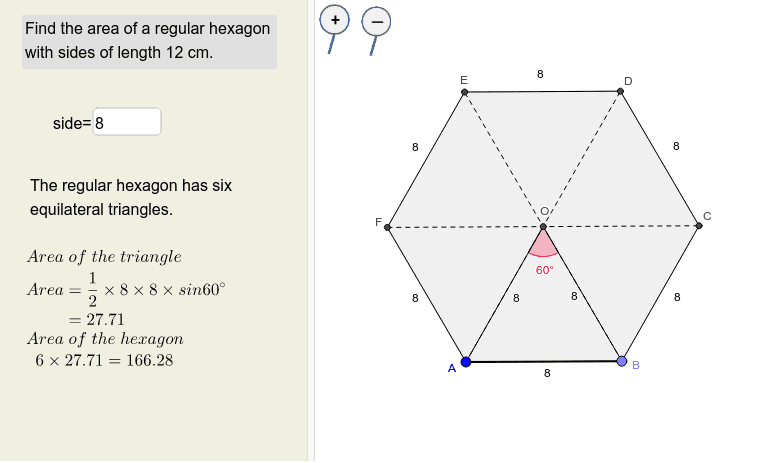
This example demonstrates the calculation of the area of a regular hexagon. Key mathematical concepts include trigonometry and the formula for the area of a polygon. Using commands like Polygon, Intersect, and Angle in GeoGebra, one can understand how to draw a regular hexagon and calculate its area. Suitable for middle school and above students to learn polygon area calculation and trigonometric applications.
GeoGebra Commands & Parameters
Textfield(s) → InputBox1Point(Circle[A, s]) → BSegment(A, B) → aPolygon(A, B, 6) → poly1, b, F, c, d, e, f, g, C, D, ESegment(A, D) → hSegment(B, E) → iSegment(F, C) → jIntersect(h, i) → OAngle(A, O, B) → αSegment(A, O) → kSegment(O, B) → l
AI Drawing Prompt Reference
Draw a regular hexagon and show the calculation of its area. First, construct the hexagon, then draw line segments from the center to adjacent vertices and mark their intersection points. Measure the central angle and draw line segments from the center to the vertices, finally showing the relationships between these key points and segments to understand the area calculation of the hexagon.
The prompt above was compiled from the original drawing commands and is for reference only.