
Area of Rectangles: Dynamic Exploration of Length, Width, and Area
Loading the math board and drawing, please wait…
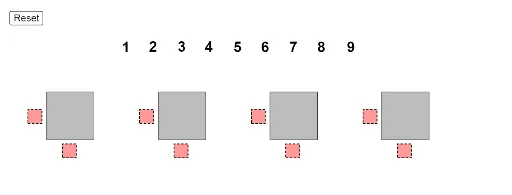
① This interactive GeoGebra example demonstrates how the area of a rectangle changes as its length and width are adjusted dynamically, providing a visual and hands-on understanding of the area formula. ② Core mathematical concepts include the rectangle area formula (Area = length × width), multiplication, and the functional relationship between side lengths and area; it also touches on symmetry, fractions, and random variables as extensions. ③ Construction highlights: The example uses GeoGebra commands such as Point, Polygon, If, and Sequence to create the rectangle and control dynamic parameters (e.g., parLength, parHeight). Interactive elements include sliders and draggable points (mover), with multiple variables for length and height (rectLength, rectHeight) and a text display (text1) showing the computed area. ④ Suitable for upper elementary to middle school students, this resource helps learners grasp the area concept, explore how changing dimensions affects area, and serves as a valuable tool for classroom demonstrations or independent student inquiry.
GeoGebra Commands & Parameters
Point({36, 0}) → parStarterPoint({24, 0}) → trapStarterPoint({12, 0}) → rectStarterPolygon((triLength / 3, -2), (triLength / 3 + 1.5, -2), 4) → poly1Polygon(rectStarter + (rectLength / 3, -2), rectStarter + (rectLength / 3 + 1.5, -2), 4) → poly3Polygon((-2, triHeight / 3), (-0.5, triHeight / 3), 4) → poly2Polygon(trapStarter + (trapB1 / 3, -2), trapStarter + (trapB1 / 3 + 1.5, -2), 4) → poly5Polygon(trapStarter + (trapB2 / 3 + (trapB1 - trapB2) / 2, trapHeight + 0.5), trapStarter + (trapB2 / 3 + (trapB1 - trapB2) / 2 + 1.5, trapHeight + 0.5), 4) → poly6Polygon(parStarter + (parLength / 3, -2), parStarter + (parLength / 3 + 1.5, -2), 4) → poly8Polygon(parStarter + (-2, parHeight / 3), parStarter + (-1 / 2, parHeight / 3), 4) → poly9Polygon(rectStarter + (-2, rectHeight / 3), rectStarter + (-0.5, rectHeight / 3), 4) → poly4Polygon(trapStarter + (-2, trapHeight / 3), trapStarter + (-1 / 2, trapHeight / 3), 4) → poly7If(IsInRegion[A, poly9], 1, If[IsInRegion[B, poly9], 2, If[IsInRegion[C, poly9], 3, If[IsInRegion[D, poly9], 4, If[IsInRegion[E, poly9], 5, If[IsInRegion[F, poly9], 6, If[IsInRegion[G, poly9], 7, If[IsInRegion[H, poly9], 8, If[IsInRegion[I, poly9], 9, 0]]]]]]]]) → nineSumIf(IsInRegion[A, poly8], 1, If[IsInRegion[B, poly8], 2, If[IsInRegion[C, poly8], 3, If[IsInRegion[D, poly8], 4, If[IsInRegion[E, poly8], 5, If[IsInRegion[F, poly8], 6, If[IsInRegion[G, poly8], 7, If[IsInRegion[H, poly8], 8, If[IsInRegion[I, poly8], 9, 0]]]]]]]]) → eightSumIf(IsInRegion[A, poly6], 1, If[IsInRegion[B, poly6], 2, If[IsInRegion[C, poly6], 3, If[IsInRegion[D, poly6], 4, If[IsInRegion[E, poly6], 5, If[IsInRegion[F, poly6], 6, If[IsInRegion[G, poly6], 7, If[IsInRegion[H, poly6], 8, If[IsInRegion[I, poly6], 9, 0]]]]]]]]) → sixSumIf(IsInRegion[A, poly5], 1, If[IsInRegion[B, poly5], 2, If[IsInRegion[C, poly5], 3, If[IsInRegion[D, poly5], 4, If[IsInRegion[E, poly5], 5, If[IsInRegion[F, poly5], 6, If[IsInRegion[G, poly5], 7, If[IsInRegion[H, poly5], 8, If[IsInRegion[I, poly5], 9, 0]]]]]]]]) → fiveSumIf(IsInRegion[A, poly3], 1, If[IsInRegion[B, poly3], 2, If[IsInRegion[C, poly3], 3, If[IsInRegion[D, poly3], 4, If[IsInRegion[E, poly3], 5, If[IsInRegion[F, poly3], 6, If[IsInRegion[G, poly3], 7, If[IsInRegion[H, poly3], 8, If[IsInRegion[I, poly3], 9, 0]]]]]]]]) → threeSumIf(IsInRegion[A, poly2], 1, If[IsInRegion[B, poly2], 2, If[IsInRegion[C, poly2], 3, If[IsInRegion[D, poly2], 4, If[IsInRegion[E, poly2], 5, If[IsInRegion[F, poly2], 6, If[IsInRegion[G, poly2], 7, If[IsInRegion[H, poly2], 8, If[IsInRegion[I, poly2], 9, 0]]]]]]]]) → twoSumPoint({0, 0}) → triangleStarterPolygon(triangleStarter, triangleStarter + (triLength, 0), triangleStarter + (triLength, triHeight), triangleStarter + (0, triHeight)) → triangle, f, g, h, cPolygon(rectStarter, rectStarter + (rectLength, 0), rectStarter + (rectLength, rectHeight), rectStarter + (0, rectHeight)) → rect, i, j, k, pIf(IsInRegion[A, poly1], 1, If[IsInRegion[B, poly1], 2, If[IsInRegion[C, poly1], 3, If[IsInRegion[D, poly1], 4, If[IsInRegion[E, poly1], 5, If[IsInRegion[F, poly1], 6, If[IsInRegion[G, poly1], 7, If[IsInRegion[H, poly1], 8, If[IsInRegion[I, poly1], 9, 0]]]]]]]]) → oneSumPolygon(trapStarter, trapStarter + (trapB1, 0), trapStarter + (trapB1, trapHeight), trapStarter + (0, trapHeight)) → trap, q, r, s, tIf(IsInRegion[A, poly4], 1, If[IsInRegion[B, poly4], 2, If[IsInRegion[C, poly4], 3, If[IsInRegion[D, poly4], 4, If[IsInRegion[E, poly4], 5, If[IsInRegion[F, poly4], 6, If[IsInRegion[G, poly4], 7, If[IsInRegion[H, poly4], 8, If[IsInRegion[I, poly4], 9, 0]]]]]]]]) → fourSumIf(IsInRegion[A, poly7], 1, If[IsInRegion[B, poly7], 2, If[IsInRegion[C, poly7], 3, If[IsInRegion[D, poly7], 4, If[IsInRegion[E, poly7], 5, If[IsInRegion[F, poly7], 6, If[IsInRegion[G, poly7], 7, If[IsInRegion[H, poly7], 8, If[IsInRegion[I, poly7], 9, 0]]]]]]]]) → sevenSumPolygon(parStarter, parStarter + (parLength, 0), parStarter + (parLength, parHeight), parStarter + (0, parHeight)) → par, m, n, a, bSequence(Point[{i, 10}], i, 8.5, 8.5 + 24, 3) → anchors
AI Drawing Prompt Reference
Draw a dynamic rectangle where the area changes as the length and width are adjusted. Start by creating a starting point, then use this point and the length and width parameters to draw the rectangle. Add sliders for the length and width so users can adjust the rectangle's dimensions. Finally, display the area of the rectangle and ensure it updates as the length and width change.
The prompt above was compiled from the original drawing commands and is for reference only.