
Area of a Parallelogram by Ben Roth
Loading the math board and drawing, please wait…
In collections
Area of Polygons
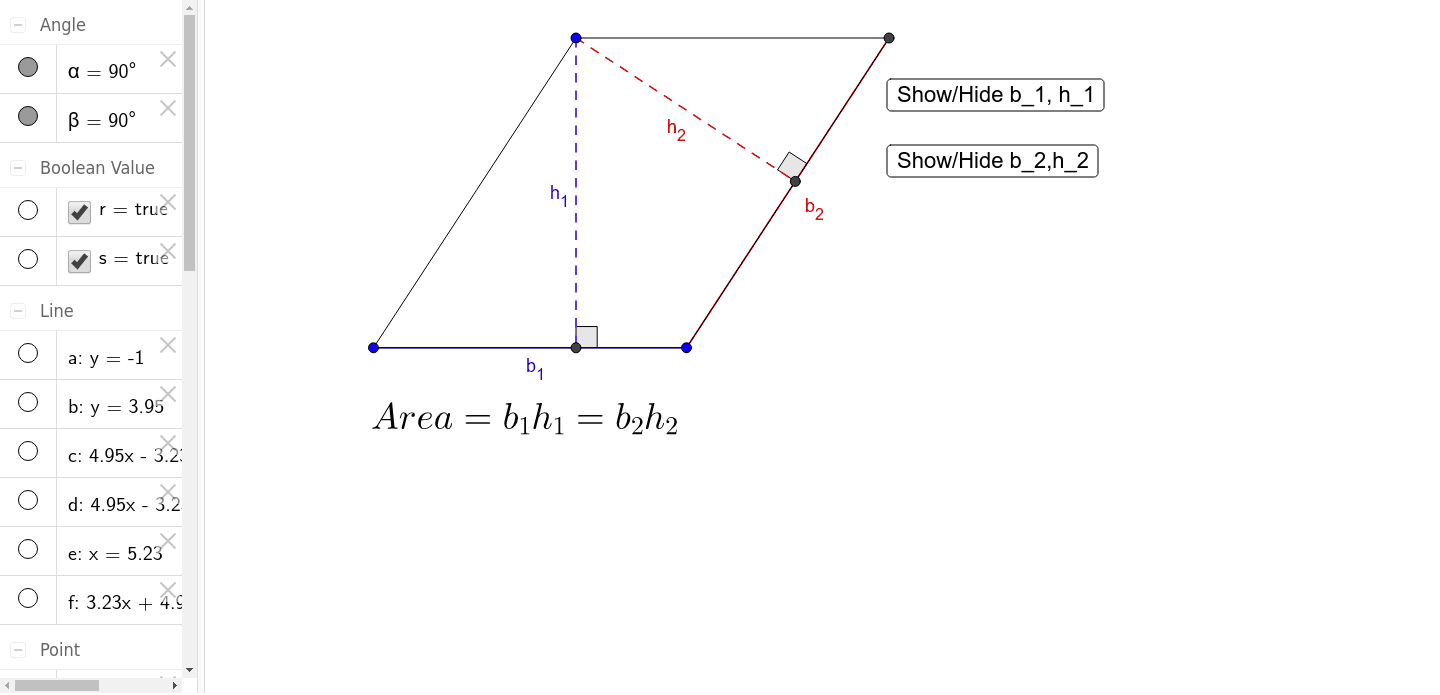
This example demonstrates how to calculate the area of a parallelogram using geometric constructions. Key mathematical concepts include parallelogram properties, area formulas, and vector operations in coordinate geometry. Construction involves using GeoGebra commands like Line, Intersect, Polygon, and OrthogonalLine to create the parallelogram, and Angle and Segment to verify side lengths. Suitable for middle school students learning geometry fundamentals or for math teaching demonstrations.
GeoGebra Commands & Parameters
Line(A, B) → aLine(C, a) → bLine(C, A) → cLine(B, c) → dIntersect(b, d) → DPolygon(A, C, D, B) → poly1, a_1, c_1, b_2, b_1OrthogonalLine(C, b_1) → eOrthogonalLine(C, b_2) → fIntersect(e, b_1) → EIntersect(f, b_2) → FAngle(B, E, C) → αAngle(D, F, C) → βSegment(C, F) → h_2Segment(C, E) → h_1Segment(A, C) → gSegment(C, D) → hSegment(D, B) → iSegment(B, A) → j
AI Drawing Prompt Reference
Draw a parallelogram. First, draw a line segment as the base. Then, from the endpoints of the base, draw two lines that intersect the base to form the other two sides of the parallelogram. Next, draw the diagonals of the parallelogram and label the angle between them. Finally, show the four sides and two diagonals to ensure the shape is clear and understandable.
The prompt above was compiled from the original drawing commands and is for reference only.