
Area Model Multiplication by Austen Meek
Loading the math board and drawing, please wait…
In collections
Arithmetic: Skills & Concepts
Arithmetic: Skills & Concepts
Arithmetic: Skills & Concepts
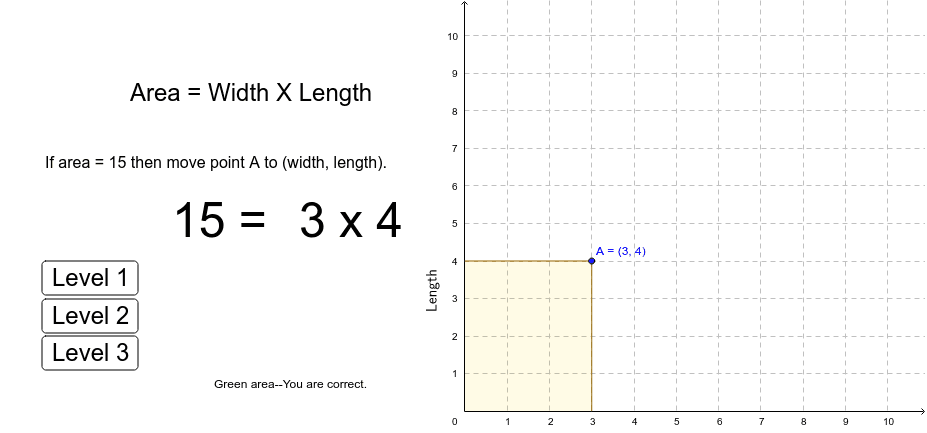
This example demonstrates how the area of a rectangle is represented by the number of unit squares, visually showing the relationship between width times length. Core math concepts include area, multiplication, and addition. It uses GeoGebra commands like OrthogonalLine, Intersect, Segment, Point, Polygon, RotateText, and objects such as A, a, b, B, C, D, e, f, g, E, F, G, poly1, e_1, a_1, f_1, g_1, A1, A2, A3, A4, A5, A6, A7, A8, A9, A10, list1, area, area_1, text1, button1, text2, text3, text4, button2, button3, button4, text5, text6. Suitable for elementary and middle school students to understand multiplication and area calculation, as well as for geometric visualization teaching.
GeoGebra Commands & Parameters
OrthogonalLine(A, yAxis) → aOrthogonalLine(A, xAxis) → bIntersect(a, yAxis) → BIntersect(b, xAxis) → CIntersect(xAxis, yAxis) → DSegment(B, A) → eSegment(A, C) → fSegment(A, C) → gIntersect(e, yAxis) → EIntersect(f, xAxis) → FPoint(yAxis) → GPolygon(E, A, F, G) → poly1, e_1, a_1, f_1, g_1RotateText(text7, 90*°) → text8
AI Drawing Prompt Reference
Draw a rectangle filled with unit squares to visually demonstrate that area equals width times length. Start by drawing the rectangle's sides, then draw perpendicular and parallel lines at the midpoints of the sides, mark the intersections, and connect them to form unit squares. Use different colors to distinguish parts and clearly show the multiplication and area relationship.
The prompt above was compiled from the original drawing commands and is for reference only.