
Area FOIL Model (X+W)(X+L)
Loading the math board and drawing, please wait…
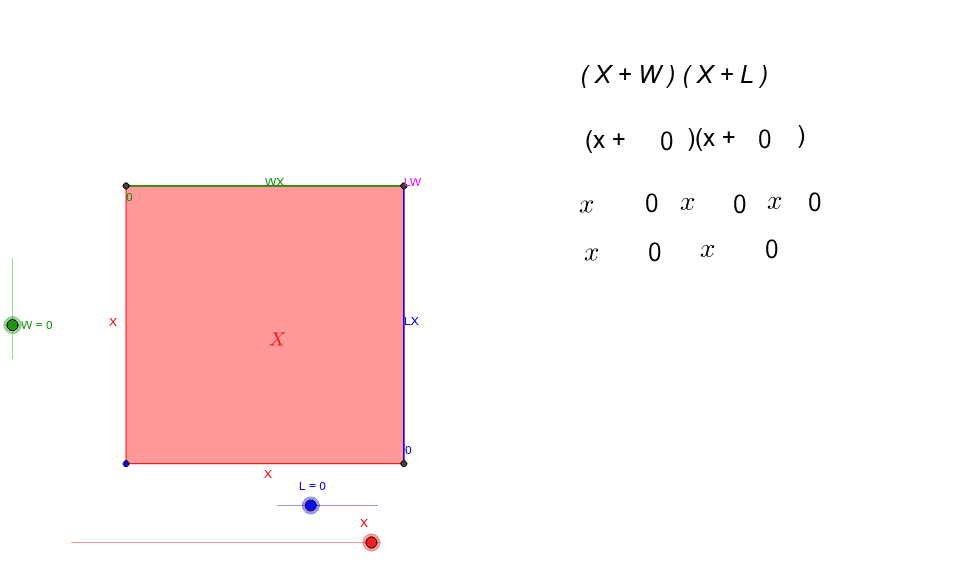
This example demonstrates the geometric representation of the area FOIL model (X+W)(X+L). Key mathematical concepts include polynomial multiplication and area calculation of geometric shapes. Using GeoGebra commands such as Polygon, Line, and Point, the example constructs geometric figures for variables X, L, and W, and illustrates the area calculation process. Suitable for middle school and above students to learn polynomial multiplication and geometric area calculation.
GeoGebra Commands & Parameters
Polygon(LM, CP, BM, LL) → poly1, lm, cp, bm, llPolygon(UL, LM, CP, TM) → poly2, ul, lm_1, cp_1, tmPolygon(CP, RM, LR, BM) → poly3, cp_2, rm, lr, bm_1Polygon(TM, UR, RM, CP) → poly4, tm_1, ur, rm_1, cp_3LaTeX(X) → text1LaTeX(X) → text2LaTeX(WX) → text3LaTeX(LW) → text4LaTeX(LX) → text5LaTeX(XX) → text6LaTeX(xterm) → text13LaTeX(LW) → text15LaTeX(W) → text17LaTeX(L) → text20LaTeX(W) → text17_1LaTeX(L) → text20_1LaTeX(W) → text17_2LaTeX(L) → text20_2LaTeX(L) → text21LaTeX(W) → text22LaTeX(LW) → text23
AI Drawing Prompt Reference
Draw a rectangle divided into four parts representing the expansion of (X+W)(X+L). Start by drawing the four vertices of the rectangle, then connect them with lines to form four smaller rectangles. Label the area expressions inside each smaller rectangle, such as LW, WX, LX, and XX.
The prompt above was compiled from the original drawing commands and is for reference only.