
Area and Perimeter of a Rectangle by S. Kay
Loading the math board and drawing, please wait…
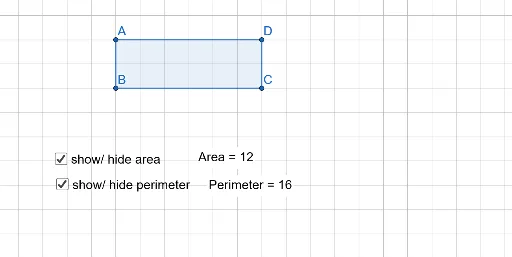
This example demonstrates the calculation of the area and perimeter of a rectangle. Key mathematical concepts include the formulas for the area and perimeter of a rectangle. Using GeoGebra commands such as Polygon, PointIn, and Perimeter, the example dynamically shows how the area and perimeter of a rectangle change. Suitable for middle and high school students learning geometric construction and area/perimeter calculations.
GeoGebra Commands & Parameters
Polygon(A, B, C, D) → q1, a, b, c, dPointIn(q1) → Pointq1_1Perimeter(q1) → perimeterq1PointIn(q1) → Pointq1
AI Drawing Prompt Reference
Draw a rectangle with four vertices connected in order to form a closed shape. Place a point anywhere inside the rectangle to mark its interior. Display the perimeter value of the rectangle, and label the area and perimeter calculations. The figure should clearly show the rectangle's sides, the interior point, and the perimeter value, making it easy to observe how area and perimeter change with rectangle dimensions.
The prompt above was compiled from the original drawing commands and is for reference only.