
Arcs
Loading the math board and drawing, please wait…
In collections
geometriadinamica.es
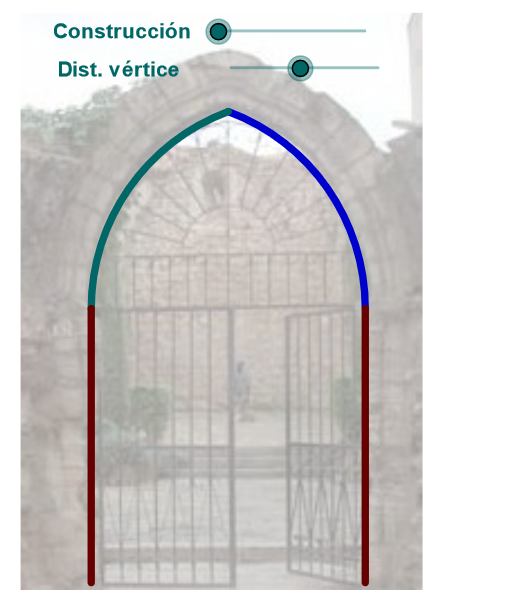
This example demonstrates the construction of arcs. Key mathematical concepts include arcs, circles, and trigonometric functions. Using GeoGebra commands such as Segment, CircleArc, and Arc, arcs can be constructed. Suitable for high school mathematics education and learning.
GeoGebra Commands & Parameters
Segment(D, B) → eMidpoint(C, D) → KRotate(C, Max[(-ε), (((-(u - 2)) * ε) * 180 / 3.14 / (2°))], K) → C'_2Circle(K, C) → f_1Midpoint(C, D) → FLine(F, e) → kIntersect(f_1, k, 1) → LCircle(L, C'_2) → g_1Center(g_1) → OIntersect(f_1, g_1, 1) → MMirror(M, k) → M'_1Circle(F, i) → pIntersect(p, k, 2) → GMidpoint(C, D) → ESegment(A, C) → dSegment(E, C) → fRotate(C, Max[((-(c - 3)) * 180 / (5°)), 180°], E) → C'Rotate(C, 359.91000000000014°, E) → C''CircumcircleArc(C, C'', C') → gSegment(C', E) → hSegment(G, C) → lIf(zz < 0, 10, zz) → nSegment(C, F) → rCircle(C, m) → sIntersect(s, r, 1) → HCircle(H, D) → tIntersect(t, k) → I, JAngle(D, H, I) → βSegment(H, D) → a_1Rotate(D, Min[β, (((n - 3) * β) * 180 / 3.14 / (5°))], H) → D'Segment(H, D') → b_1CircleArc(H, D, D') → c_1Mirror(H, k) → H'Mirror(D', k) → D''Segment(H', D'') → d_1Mirror(H, k) → H'_1Mirror(D, k) → D'_1Mirror(D', k) → D''_1Arc(Mirror[Circle[H, D], k], D'_1, D''_1) → e_1Intersect(f_1, g_1, 2) → NIntersect(g_1, k, 2) → PSegment(K, C) → h_1Segment(K, C'_2) → i_1CircleArc(K, C'_2, C) → k_1Mirror(C'_2, k) → QSegment(K, Q) → l_1CircleArc(K, D, Q) → q_1CircumcircleArc(Q, O, M) → t_1Rotate(C, (-ε), K) → C'_3Circle(L, C'_3) → p_1Mirror(L, k) → L'Mirror(L, k) → L'_1Mirror(M, k) → M'Circle(K, C) → c_2Segment(T1, T) → n_1Mirror(D, n_1) → D'_2Mirror(B, n_1) → B'Segment(D'_2, B') → e'Mirror(A, n_1) → A'Mirror(C, n_1) → C'_4Segment(A', C'_4) → d'Vector(A, B') → zTranslate(pic1, z) → pic1'Translate(pic1, z) → pic1'_1
AI Drawing Prompt Reference
Create a geometric figure featuring multiple intersecting circles and arcs. Start with a segment DB and its midpoint K, then draw circle f1 centered at K. Draw another line through the midpoint of CD intersecting circle f1 at point L, then create circle g1 centered at L. The two circles intersect at points M and N. Use the perpendicular bisector of CD as an axis of symmetry to create mirrored points. Rotate point C around point E to generate points C' and C'', then construct a circular arc through these three points. Similarly, create an arc centered at H with radius DH, then mirror it to create symmetric arcs. Complete the figure by drawing multiple segments and arcs between various intersection points to form a symmetric pattern of circular arcs.
The prompt above was compiled from the original drawing commands and is for reference only.