
Approximating Area: The Trapezium Rule
Loading the math board and drawing, please wait…
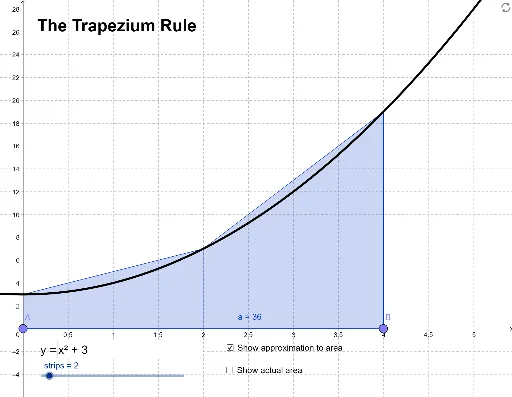
This GeoGebra example demonstrates how to approximate the area under a curve using one or more trapezoids, illustrating the trapezoidal rule for numerical integration. The core mathematical concept is the numerical approximation of definite integrals, where the interval is divided into subintervals and the sum of trapezoid areas approximates the exact integral. Construction highlights: the TrapezoidalSum command generates the trapezoidal approximation, while the Integral command computes the exact value for comparison; draggable points A and B and a text field allow users to change the integration limits and the number of strips; the function f is user-defined. Suitable for high school to college calculus courses, this interactive tool helps students visualize how increasing the number of trapezoids improves accuracy and understand the relationship between numerical and exact integration.
GeoGebra Commands & Parameters
Point(xAxis) → APoint(xAxis) → BTextfield(f) → inputBox1TrapezoidalSum(f, x(A), x(B), strips) → aIntegral(f, x(A), x(B)) → c