
Approximating an Ellipse with Arcs
Loading the math board and drawing, please wait…
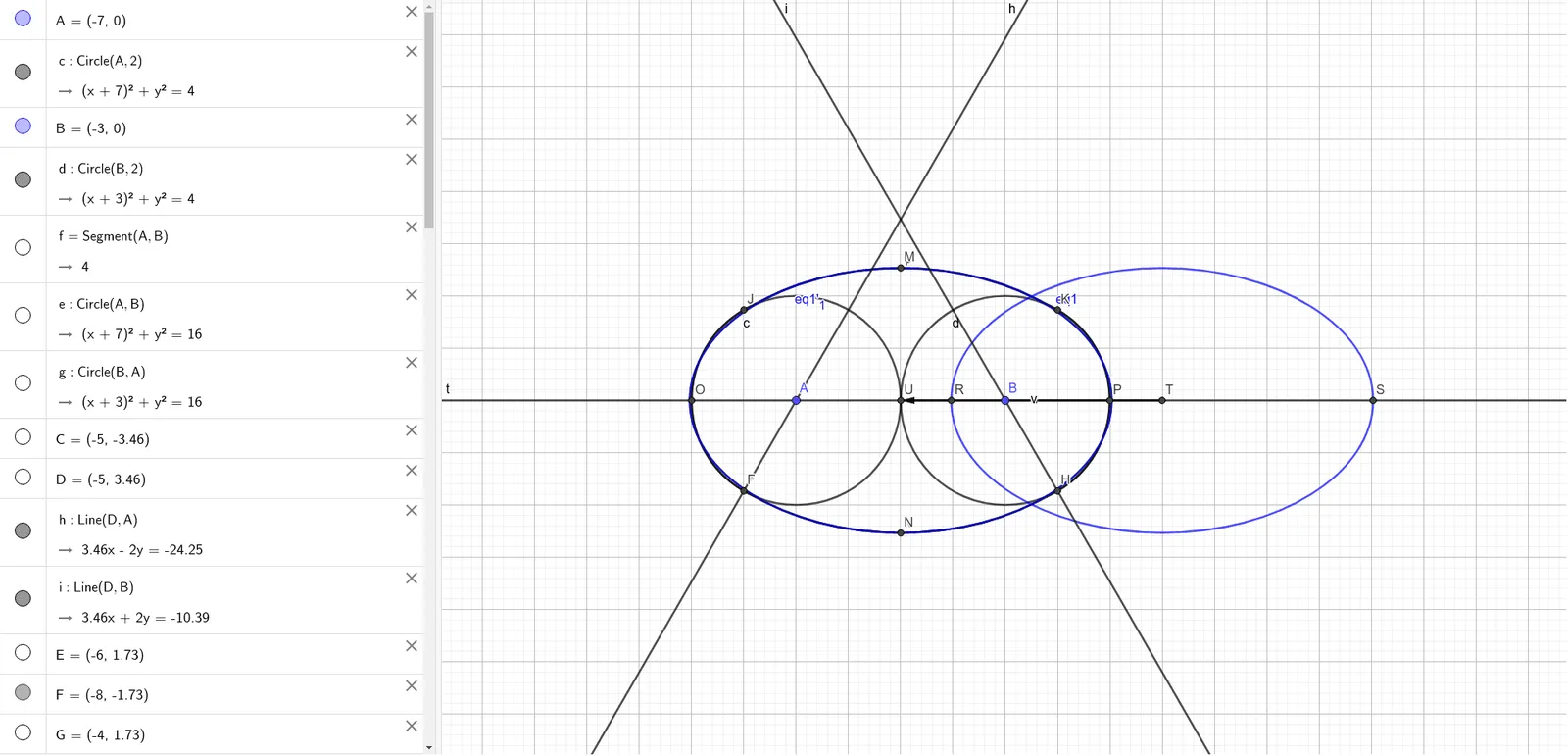
This example demonstrates how to approximate an ellipse using multiple circular arcs. Key math concepts involved include the definition of an ellipse, properties of circles, and geometric construction techniques. The construction utilizes GeoGebra commands such as Circle, Segment, Intersect, Line, CircleArc, Tangent, LineBisector, Distance, Midpoint, Vector, and Translate to calculate and position critical points, gradually building a composite of arcs that closely resembles an ellipse. It is suitable for high school and advanced learners to explore the construction of ellipses and their relationship with basic geometric figures like circles and lines.
GeoGebra Commands & Parameters
Circle(A, 2) → cCircle(B, 2) → dSegment(A, B) → fCircle(A, B) → eCircle(B, A) → gIntersect(g, e) → C, D, ,Line(D, A) → hLine(D, B) → iIntersect(c, h) → E, FIntersect(d, i) → G, HCircleArc(D, F, H) → kLine(C, A) → jLine(B, C) → lIntersect(c, j) → I, JIntersect(d, l) → K, LCircleArc(C, K, J) → pCircleArc(A, J, F) → qCircleArc(B, H, K) → rTangent(F, q) → m,Tangent(F, k) → n,LineBisector(A, B) → sIntersect(p, s) → M,Intersect(k, s) → N,Distance(M, N) → distanceMNLine(A, B) → tIntersect(q, t) → O,Intersect(r, t) → P,Distance(O, P) → distanceOPIntersect(eq1, t) → R, SMidpoint(R, S) → TMidpoint(A, B) → UVector(T, U) → uTranslate(eq1, u) → eq1'Vector(T, U) → vTranslate(eq1, v) → eq1'_1
AI Drawing Prompt Reference
Draw an ellipse approximated by multiple circular arcs. Start by creating two equal circles and find their intersection points. Use these points and circle centers to construct tangents, then connect the tangents with arcs to gradually form the ellipse. Ensure the arcs smoothly transition to create a shape resembling an ellipse.
The prompt above was compiled from the original drawing commands and is for reference only.