
Applying Sine & Cosine Formulae
Loading the math board and drawing, please wait…
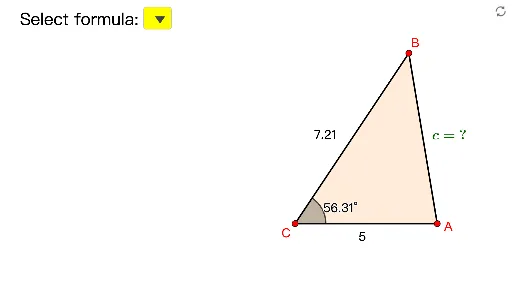
This example demonstrates the use of sine and cosine formulae to calculate angles and sides in two-dimensional vectors. Key math concepts include trigonometric functions, vector operations, and coordinate geometry. Constructed using GeoGebra commands like Polygon, Angle, and If, it enables dynamic graphing and parametric analysis. Suitable for high school students learning the integration of trigonometry and vectors, ideal for classroom demonstrations or problem-solving aids.
GeoGebra Commands & Parameters
Polygon(A, B, C) → t1, c, a, bAngle(A, C, B) → θAngle(B, A, C) → βIf(lang ≟ 1, {" ", "正弦公式 (Sine 公式)", "餘弦公式 (Cosine 公式)"}, {" ", "Sine Formula", "Cosine Formula"}) → listFIf(b1, 1, 0, b2, 2, b3, 3, b4, 4, b5, 5) → tIf(lang ≟ 1, "\violet{(捨去)}", "\violet{(rejected)}") → textR
AI Drawing Prompt Reference
Draw a triangle ABC and use sine and cosine formulas to calculate angles and side lengths. First, draw triangle ABC, then label angles θ and β. Adjust the side lengths using sliders to dynamically show the results of the sine and cosine formulas.
The prompt above was compiled from the original drawing commands and is for reference only.