
Angles of Isosceles Trapezoid - 1
Loading the math board and drawing, please wait…
In collections
Quadrilaterals الرُباعيات
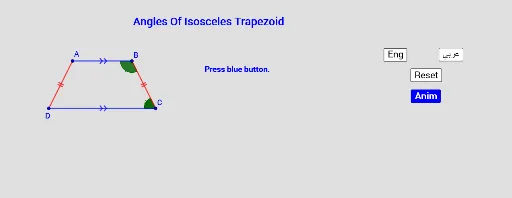
This example demonstrates the angles of an isosceles trapezoid. Key mathematical concepts include the properties and angle relationships of isosceles trapezoids. Using GeoGebra commands such as Segment, Angle, Translate, Rotate, and Vector, the example dynamically shows the angles of an isosceles trapezoid. Suitable for students in middle school and above learning geometric construction and angle relationships.
GeoGebra Commands & Parameters
Segment(A, B) → fSegment(B, C) → gSegment(D, A) → iSegment(D, C) → hAngle(D, A, B) → αAngle(A, B, C) → βAngle(B, C, D) → γAngle(C, D, A) → δTranslate(C, Vector[(a * Vector[C, D])]) → C1Translate(B, Vector[(a * Vector[C, D])]) → B1Translate(D, Vector[(a * Vector[C, D])]) → D1Angle(B1, C1, D1) → εRotate(B1, ((-b) * Angle[A, B, C]), C1) → B2Rotate(D1, (-((b * Angle[A, B, C]))), C1) → D2Angle(B2, C1, D2) → ζVector(C, D) → uVector(B, A) → vTranslate(A, Vector[(c * v)]) → A1_1Translate(A, Vector[(c * Vector[B, A])]) → A1Translate(B, Vector[(c * Vector[B, A])]) → B3Translate(C, Vector[(c * Vector[B, A])]) → C2Angle(A1, B3, C2) → ηRotate(A1, (d * Angle[B, C, D]), B3) → A2Rotate(C2, (d * Angle[B, C, D]), B3) → C3Angle(A2, B3, C3) → θ
AI Drawing Prompt Reference
Draw an isosceles trapezoid and label its four interior angles α, β, γ, and δ. Use translation and rotation to demonstrate the symmetry of the isosceles trapezoid, creating new points C1, B1, and D1 and calculating the new angle ε. Further rotate to generate points B2 and D2, and calculate angle ζ. Finally, use translation and rotation to generate points A1, B3, and C2, and calculate angles η and θ.
The prompt above was compiled from the original drawing commands and is for reference only.