
Angles Between Parallel Lines
Loading the math board and drawing, please wait…
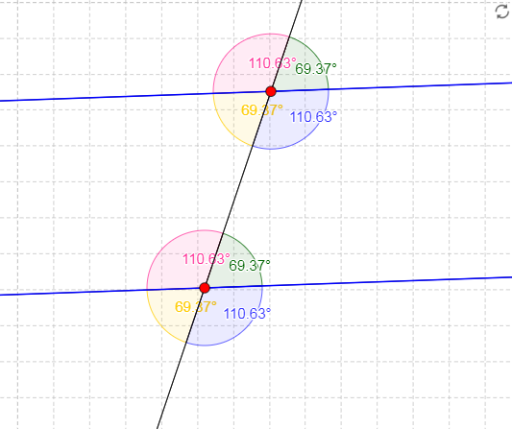
This example demonstrates the angles between parallel lines. Key mathematical concepts include angles, straight lines, and parallelograms. Using GeoGebra commands such as Line, Point, Segment, and Angle, you can construct parallel lines and their angles. Suitable for middle school and above students for geometric construction.
GeoGebra Commands & Parameters
Line(A, B) → aLine(C, a) → bLine(A, C) → cPoint(b) → DSegment(C, D) → dSegment(C, A) → ePoint(c) → ESegment(C, E) → fPoint(b) → FSegment(C, F) → gPoint(a) → GSegment(A, G) → hPoint(c) → HSegment(A, H) → iPoint(a) → ISegment(A, I) → jAngle(D, C, E) → αAngle(E, C, F) → βAngle(F, C, A) → γAngle(A, C, D) → δAngle(G, A, C) → εAngle(C, A, I) → ζAngle(I, A, H) → ηAngle(H, A, G) → θ
AI Drawing Prompt Reference
Draw two parallel lines, one passing through two fixed points and the other through a third point parallel to the first. From the third point, draw several segments to points on both parallel lines, creating multiple intersection points and triangles. Also, on the first line, select several points and draw segments from the first fixed point to them, forming additional triangles. Finally, label all angles formed by these segments and intersections with Greek letters to show the relationships between angles in parallel lines.
The prompt above was compiled from the original drawing commands and is for reference only.