
Angle in Semicircle Demonstration
Loading the math board and drawing, please wait…
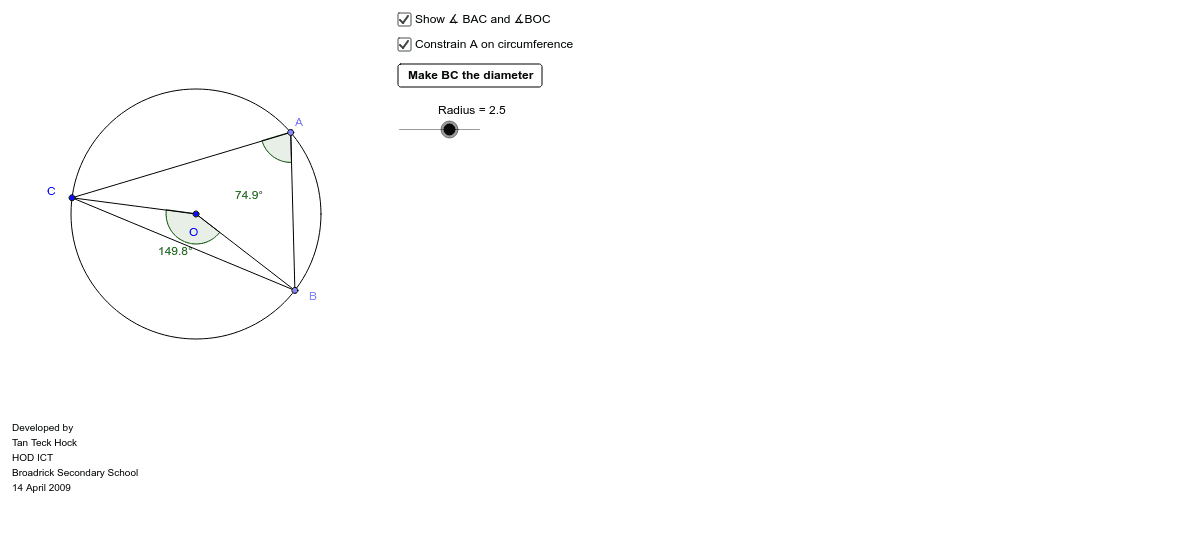
This example demonstrates the Angle in Semicircle Theorem, showing that an angle inscribed in a semicircle is a right angle. It involves core concepts like circle, angle, central angle, inscribed angle, and geometric construction. The construction uses commands such as Circle, Point, Segment, Angle, Ray, Intersect, and objects like ConstrainA, Radius to visualize the relationship between central and inscribed angles. Suitable for high school mathematics education to intuitively understand the theorem and its applications.
GeoGebra Commands & Parameters
Circle(O, Radius) → cPoint(c) → APoint(c) → CPoint(c) → BSegment(C, B) → BCSegment(B, A) → ABSegment(A, C) → ACSegment(A', C) → A'CSegment(A', B) → A'BAngle(C, A, B) → αAngle(C, A', B) → βSegment(C, O) → OCSegment(O, B) → OBAngle(C, O, B) → γRay(C, O) → DOExtendIntersect(c, DOExtend) → D, ESegment(O, A) → OAAngle(B, C, A) → OCAAngle(C, A, O) → OACAngle(BC, OA) → AOBAngle(O, A, B) → OAB
AI Drawing Prompt Reference
Draw a circle with a center point. Place three points on the circle, with two of them forming a diameter through the center. Connect these three points to form two triangles: one with a vertex on the diameter and the other on the opposite arc. Mark the angles at the vertices opposite the diameter and display their measures. Also connect the center to the diameter endpoints and mark the central angle. From the center, draw a ray through one diameter endpoint to intersect the circle again, then connect this new point to the diameter endpoints to form a third triangle, marking its relevant angle. Finally, connect the center to all circle points and mark the associated angles to illustrate that an inscribed angle in a semicircle is a right angle.
The prompt above was compiled from the original drawing commands and is for reference only.