
Angle Doubling, Tripling, and Halving Construction
Loading the math board and drawing, please wait…
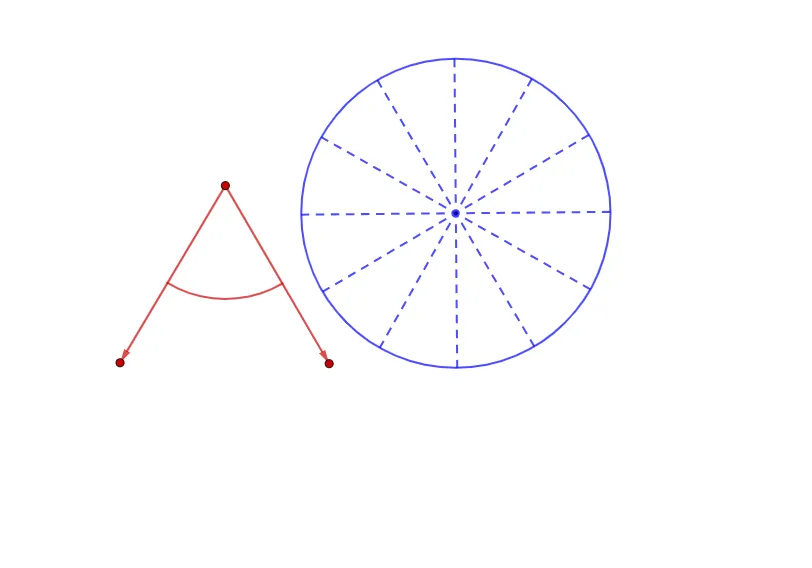
This GeoGebra example dynamically demonstrates the construction of angles that are double, triple, and half of a given angle, visualizing angle transformation through rotation, circle sectors, and intersection methods. Core mathematical concepts include angle measurement, rotational symmetry, circle geometry, and arc relationships. The construction employs GeoGebra commands such as Circle, Point, Segment, Vector, CircleSector, Line, OrthogonalLine, Intersect, Rotate, Angle, and CircleArc, utilizing points, lines, vectors, and sectors as fundamental objects. It is suitable for middle and high school geometry education, helping students grasp angle scaling rules and dynamic construction strategies.
GeoGebra Commands & Parameters
Circle(A, 4) → cPoint(c) → CSegment(A, C) → fPoint(c) → ESegment(A, E) → hVector(A, E) → wVector(A, C) → aPoint(h) → OPoint(f) → PCircleSector(A, O, P) → gCircle(F, 3) → dPoint(d) → GLine(F, G) → iOrthogonalLine(F, i) → jIntersect(d, i, 2) → HSegment(G, H) → kIntersect(d, j, 1) → IIntersect(d, j, 2) → JSegment(I, J) → lRotate(G, 30°, F) → G'Angle(G, F, G') → αLine(G', F) → mRotate(G', 30°, F) → G''Angle(G', F, G'') → βLine(G'', F) → nOrthogonalLine(F, m) → pOrthogonalLine(F, n) → qIntersect(d, m, 2) → BSegment(G', B) → rIntersect(d, q, 2) → DIntersect(d, q, 1) → KSegment(D, K) → sIntersect(d, p, 2) → LIntersect(d, p, 1) → MSegment(L, M) → tIntersect(d, n, 2) → NSegment(N, G'') → bPoint(w) → QPoint(a) → RCircleArc(A, Q, R) → e
AI Drawing Prompt Reference
Draw a geometry construction centered at a fixed point A with a circle. Mark a base angle by choosing two points on the circle that determine rays from A; use another point O on that circle to define an angle region together with the point P. Construct an auxiliary circle with center F and place a point G on it, then draw the line through F–G and create perpendicular lines from F to two chosen directions so they intersect the auxiliary circle at several points (like H, I, J). Connect the relevant intersection points with short segments to serve as angle references. Rotate the ray around F by a fixed angle (e.g., 30°) to obtain two rotated rays, forming angles at F corresponding to doubled/tripled and halved versions. Finally, on the original circle, draw a circular arc between two auxiliary points Q and R to visualize the angle transformation.
The prompt above was compiled from the original drawing commands and is for reference only.