
Angle Bisector Construction in GeoGebra
Loading the math board and drawing, please wait…
In collections
iShortcut Geometry Vol. 1: Lines & Angles
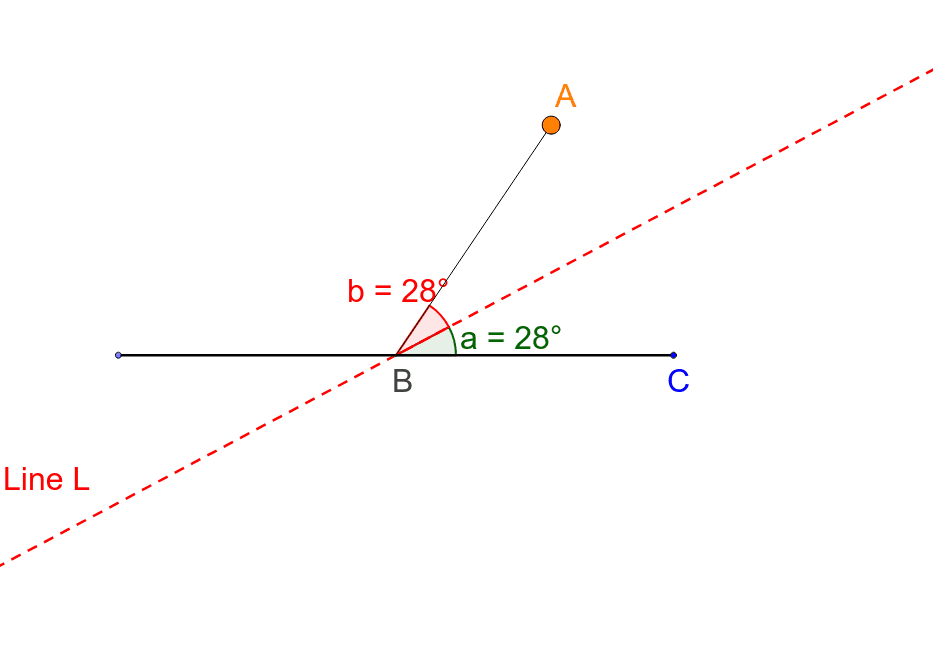
This example illustrates how an angle bisector divides an angle into two equal angles using GeoGebra's dynamic geometry environment. It involves core concepts such as the angle bisector theorem, equality of angles, intersection of circles and lines, and sector properties. The construction highlights the use of GeoGebra commands: Point (to create vertices A, B, C), Semicircle (to draw arcs), Intersect (to locate intersection points), CircleSector (to generate a sector), AngularBisector (to produce the bisector), Segment and Angle (to draw and label the resulting segments). The objects created include A, B, C, A_1, B_1, and others, providing a clear visual proof of the bisector's property. This resource is designed for middle school geometry (grades 7‑9) and as an introductory activity for high school trigonometry and geometric construction lessons.
GeoGebra Commands & Parameters
Point(xAxis) → A_1Semicircle(A_1, C) → cIntersect(xAxis, yAxis) → BPoint(c) → ACircleSector(B, C, A) → dAngularBisector(C, B, A) → a_1Segment(A_1, C) → b_1Segment(B, A) → eAngle(b_1, a_1) → aAngle(a_1, e) → bSegment(B, A) → f