
Angle Bisector Construction by Jenny Novak
Loading the math board and drawing, please wait…
In collections
Basic Constructions
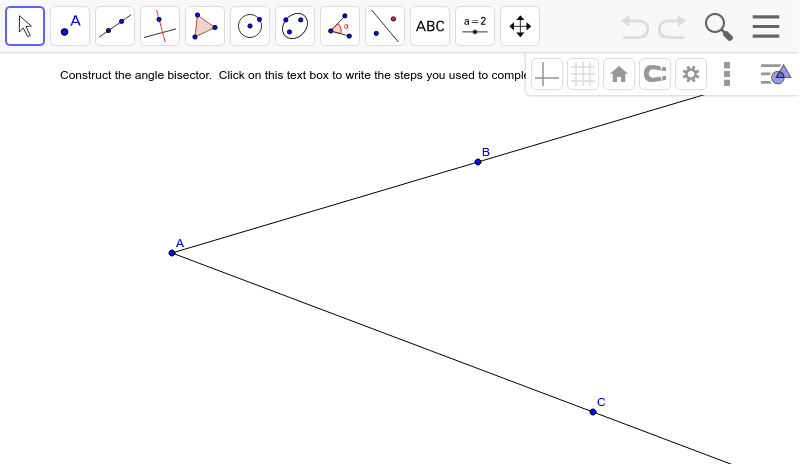
①This example demonstrates how to construct the angle bisector of a given angle using the Ray tool in GeoGebra, visually showing the line that divides the angle into two equal parts. ②The core mathematical concept is the definition and property of an angle bisector, which splits an angle into two congruent angles, and the geometric construction logic behind it. ③Construction details: Based on the summary, the Ray command is used, along with objects such as text1 (likely a label or annotation), points A, B, C, line a, and point b. The ray is drawn from the vertex into the interior of the angle to determine the bisector direction, possibly with auxiliary points or text to complete the construction. ④This is suitable for middle school geometry lessons or introductory geometric construction, helping students understand the principles of compass-and-straightedge construction and allowing dynamic adjustment of the angle to observe that the bisector always divides it equally.
GeoGebra Commands & Parameters
Ray(A, B) → aRay(A, C) → b
AI Drawing Prompt Reference
Draw an angle formed by two rays originating from a common vertex, pointing in different directions. Inside the angle, draw a ray from the vertex that divides the angle into two equal parts, representing the angle bisector. Clearly mark the vertex and points on each ray, and show that the bisector splits the angle into two congruent angles. The diagram should be clean and suitable for geometry teaching, allowing dynamic adjustment of the angle to observe that the bisector always divides it equally.
The prompt above was compiled from the original drawing commands and is for reference only.