
Angle Between Two Planes by Alex CHIK
Loading the math board and drawing, please wait…
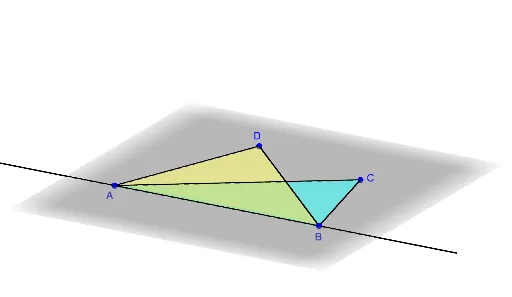
This example demonstrates how to calculate the angle between two planes. The core mathematical concepts involved include plane equations, the cosine theorem, and spatial geometry. Key construction points involve using GeoGebra commands such as DynamicCoordinates, Rotate, Point, Plane, and Angle to build the planes, calculate the angle, and visualize the result. Suitable for high school and introductory university students studying solid geometry and calculus.
GeoGebra Commands & Parameters
DynamicCoordinates(C_0, x(C_0), If[y(C_0) ≥ 1, y(C_0), 1], 0) → CRotate(C, theta, xAxis) → C'Point(xAxis) → APoint(xAxis) → BPlane(A, B, C') → dPointIn(d) → D_0Polygon(A, B, C) → t1, c, a, bLine(A, B) → fDynamicCoordinates(D_0, x(D_0), If[z(D_0) ≥ 0, y(D_0), 0], If[z(D_0) ≥ 0, z(D_0), 0]) → DPolygon(D, A, B) → t2, b_1, d_1, a_1Point(f) → PAngle(C, B, D) → βAngle(C, A, D) → αCircle(P, 1, d_1) → gIntersect(d, g) → E, FIntersect(xOyPlane, g) → G, HRay(P, E) → hRotate(D, (-theta), xAxis) → D'Segment(A, D') → jSegment(D', B) → kIf(theta ≟ 180°, CircumcircleArc[D', (x(D'), 0, y(D')), D], CircleArc[Q, D, D', xOyPlane]) → eRay(P, If[x(B) > x(A), G, H]) → iAngle(If[x(B) > x(A), G, H], P, E) → εAngle(E, P, P + (-1, 0, 0)) → γAngle(P + (1, 0, 0), P, If[x(B) > x(A), G, H]) → δ