
Alternate Exterior Angles by Andy Talmadge
Loading the math board and drawing, please wait…
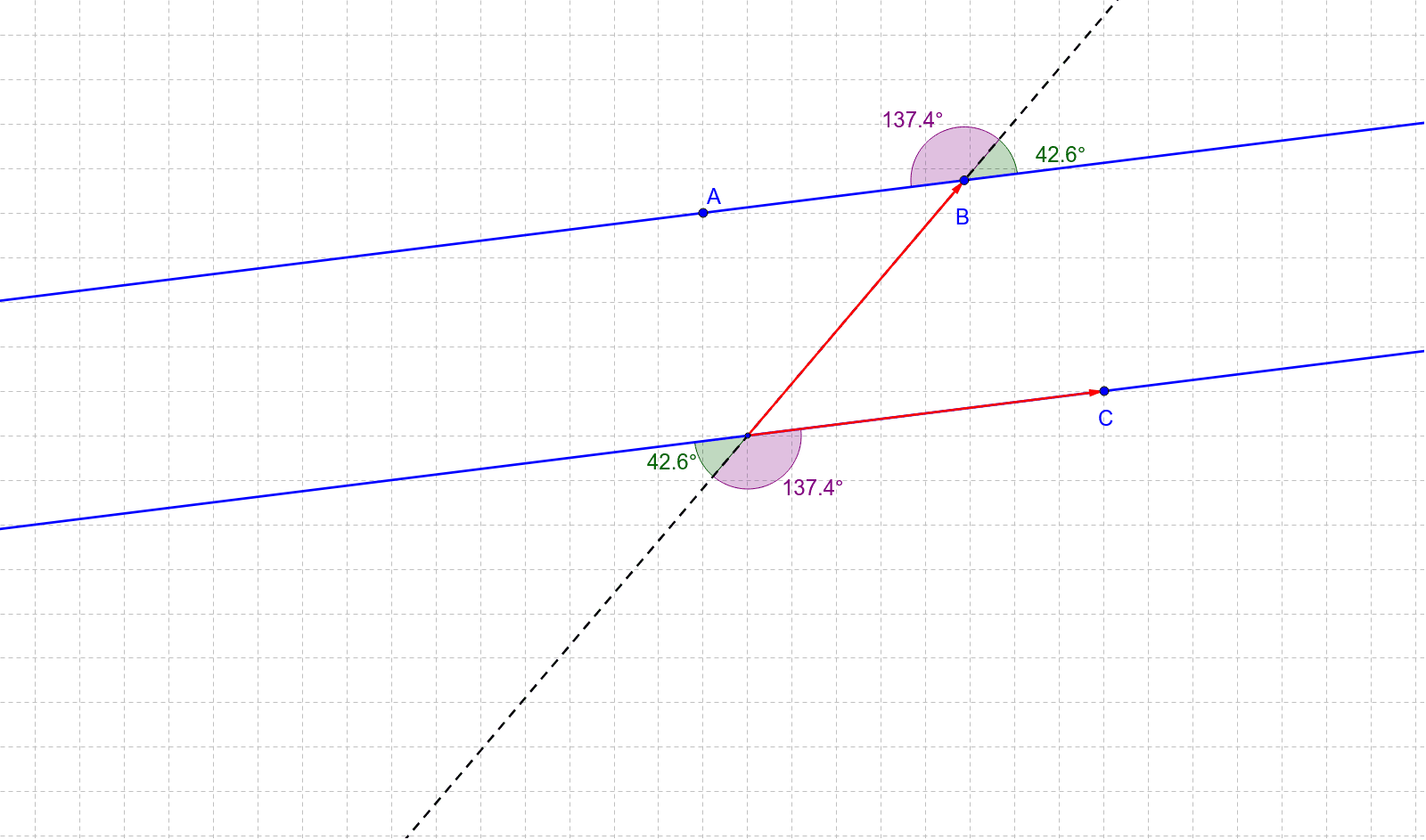
This example demonstrates alternate exterior angles formed when a transversal intersects two parallel lines. Key mathematical concepts include angle properties and geometric construction. By dragging points A, B, and C, you can change the distance between the parallels, the intersection point of the transversal, and the direction of the parallels. The construction uses commands such as Line, Vector, Point, Angle, and Intersect. Suitable for middle school and above students to learn about geometry and angle-related knowledge.
GeoGebra Commands & Parameters
Line(C, A_1) → bLine(A, b) → dCircle(A_1, D) → cVector(A_1, C) → uPoint(d) → BVector(A_1, B) → vAngle(C, A_1, B) → αLine(B, A_1) → aIntersect(c, b, 2) → EIntersect(c, a, 2) → FAngle(F, A_1, C) → βAngle(E, A_1, F) → γAngle(B, A_1, E) → δPoint(d) → HPoint(d) → IAngle(H, B, A_1) → εAngle(A_1, B, I) → ζPoint(a) → GAngle(I, B, G) → ηAngle(G, B, H) → θ
AI Drawing Prompt Reference
Draw two parallel lines intersected by a transversal to form alternate exterior angles. Adjust the distance between the parallel lines, the intersection point of the transversal, and the direction of the lines by dragging three points. Display the four alternate exterior angles formed, and represent the direction between the parallel lines with vectors. Label and measure the angles, showing their equality.
The prompt above was compiled from the original drawing commands and is for reference only.