
Alternate Angles with Non-Parallel Lines
Loading the math board and drawing, please wait…
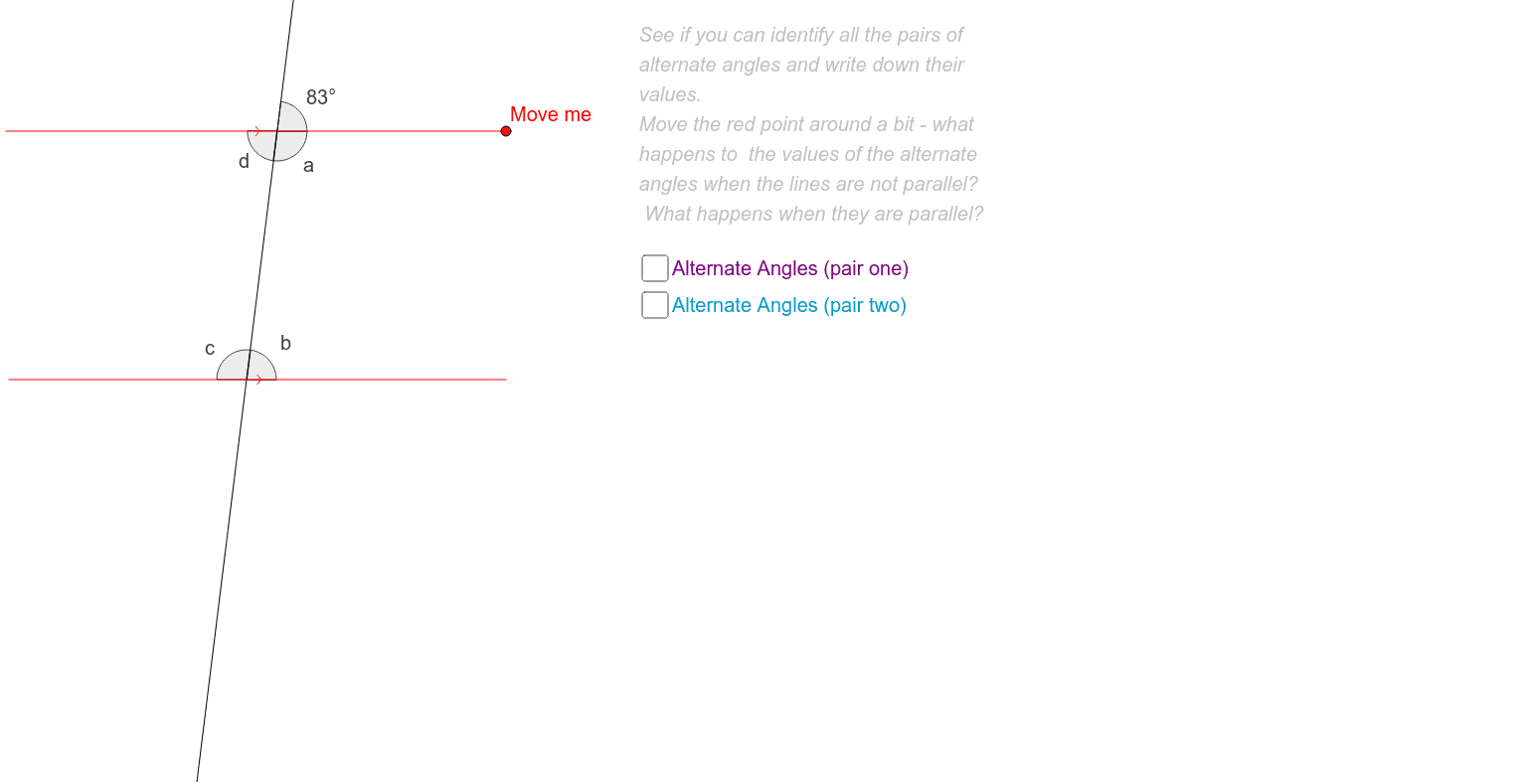
This example demonstrates how alternate angles change when two lines are not parallel. It involves the concept of alternate angles. Using GeoGebra commands such as Line, Point, Segment, Slope, Angle, etc., it constructs two non-parallel lines and their alternate angles. Suitable for middle school and above students to learn about geometric transformations and angle relationships.
GeoGebra Commands & Parameters
Line(A, B) → a_1Line(C, D) → b_1Point(a_1) → EPoint(b_1) → FLine(E, F) → c_1Point(c_1) → GPoint(c_1) → HSegment(A, B) → rSegment(C, D) → sSlope(a_1) → m_1Slope(b_1) → m_2Point(r) → ISegment(I, B) → tPoint(s) → JAngle(F, E, B) → aAngle(E, F, J) → bAngle(F, E, B) → cAngle(E, F, J) → dAngle(D, F, E) → eAngle(I, E, F) → fAngle(D, F, E) → αAngle(I, E, F) → βAngle(B, E, G) → γ
AI Drawing Prompt Reference
Draw two non-parallel intersecting lines and mark their intersection point. From the intersection point, draw perpendiculars to each line and mark the feet of the perpendiculars. Measure and display the angles between each line and the intersection line, as well as the angles between the perpendiculars and the intersection line. Use different colors to distinguish the angles and label their measures to illustrate how angle relationships change when the lines are not parallel.
The prompt above was compiled from the original drawing commands and is for reference only.