
All Triangles are Equilateral - Geogebra Demo
Loading the math board and drawing, please wait…
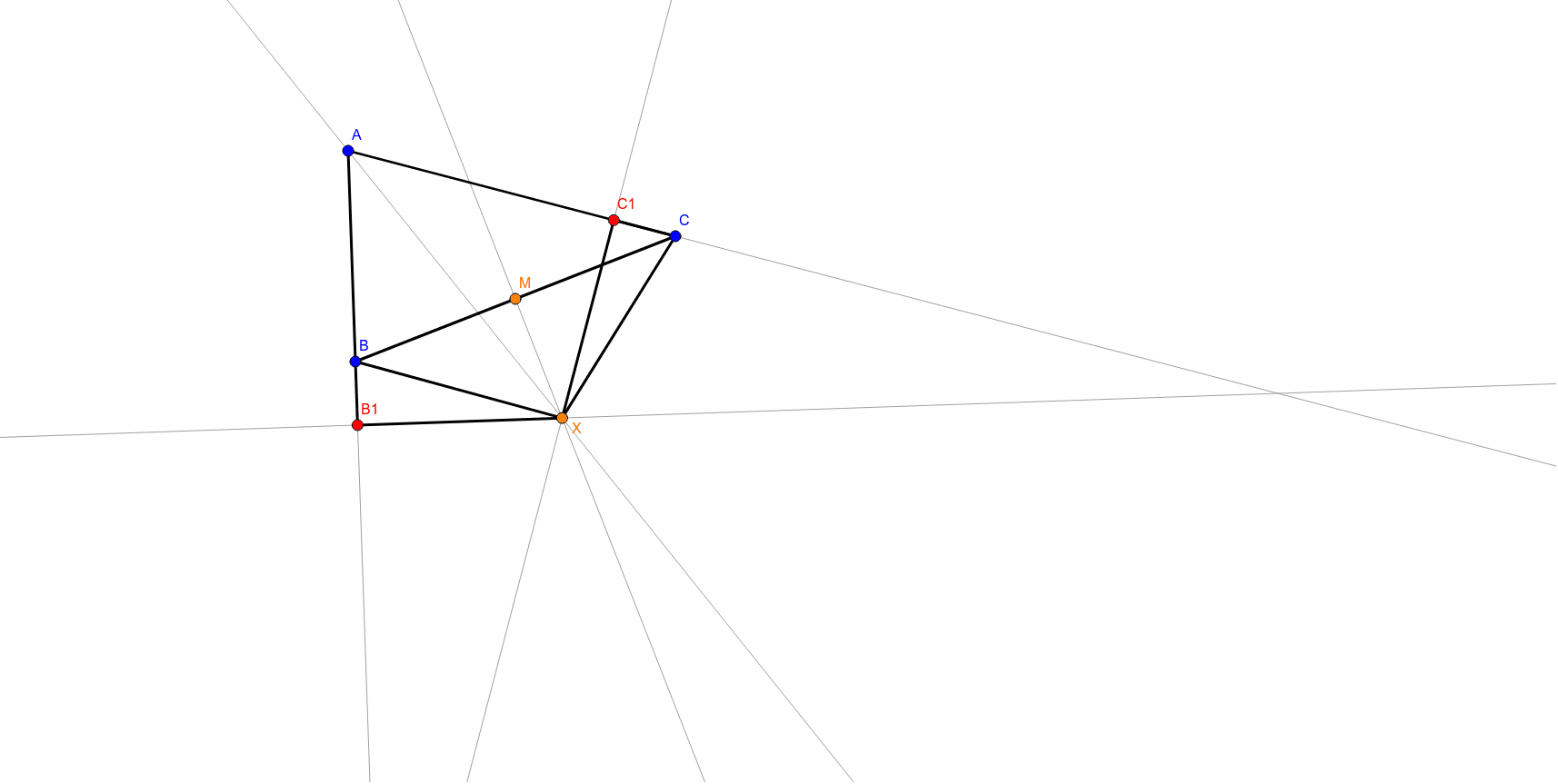
This example dynamically demonstrates how all triangles can be transformed into equilateral triangles under specific conditions. It involves core mathematical concepts like geometric construction, angle bisectors, midpoints, orthogonal lines, etc. Key GeoGebra commands and objects used include Segment, Ray, AngularBisector, Midpoint, OrthogonalLine, Intersect. Suitable for high school and above learners to understand geometric transformations and proofs.
GeoGebra Commands & Parameters
Segment(A, B) → aSegment(B, C) → bSegment(C, A) → cRay(A, C) → dRay(A, B) → eAngularBisector(B, A, C) → fMidpoint(b) → MOrthogonalLine(M, b) → gIntersect(g, f) → XSegment(X, C) → hSegment(X, B) → iOrthogonalLine(X, d) → jOrthogonalLine(X, e) → kIntersect(j, d) → C1Intersect(e, k) → B1Segment(C1, X) → lSegment(B1, X) → mSegment(B, B1) → nSegment(C1, C) → p
AI Drawing Prompt Reference
Draw an arbitrary triangle with vertices labeled A, B, and C. From vertex A, create two rays extending along sides AC and AB. Construct the angle bisector of angle A. Find the midpoint of side BC and draw a line through this midpoint perpendicular to BC. Let this perpendicular line intersect the angle bisector at point X. Connect X to B and C with segments. Then, from X, draw perpendicular lines to the rays AC and AB, intersecting them at two new points on those rays. Connect X to each of these new points, and also connect B to the point on ray AB and C to the point on ray AC. This creates a set of segments that visually demonstrates how the triangle can be transformed toward an equilateral shape under these geometric conditions.
The prompt above was compiled from the original drawing commands and is for reference only.