
Algebraic Expression for Rectangle Perimeter
Loading the math board and drawing, please wait…
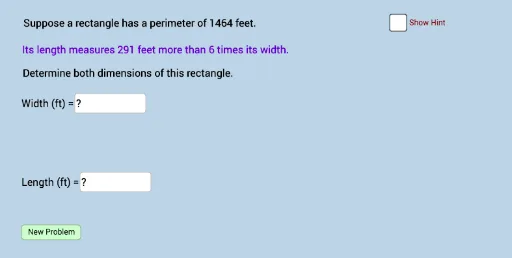
This example demonstrates how to convert a rectangle perimeter problem into an algebraic expression. Key mathematical concepts include the application of linear equations. Using GeoGebra commands such as Random, Textfield, and Polygon, users can dynamically adjust the rectangle's sides and observe changes in the perimeter. Suitable for middle school and above students to learn the application of linear equations.
GeoGebra Commands & Parameters
Random(30, 90) → wRandom(2, 10) → bRandom(1, ((b - 1) * w) - 5) → aRandom(0, 1) → nTextfield(c) → InputBox1Textfield(d) → InputBox2Polygon(A, B, D, C) → poly1, a_1, b_1, d_1, c_1Segment(A, B) → jSegment(B, D) → kSegment(D, C) → lSegment(C, A) → mAngle(D, B, A) → αAngle(B, A, C) → βAngle(A, C, D) → γAngle(C, D, B) → δDistance(A, B) → distanceABDistance(A, j) → distanceAjDistance(A, C) → distanceAC
AI Drawing Prompt Reference
Draw a dynamic rectangle with random side lengths, accompanied by two input boxes for adjusting variables. Connect the four vertices in order, mark each side as a segment, and label the four interior angles. Measure and display the length of one side, the distance from that side to its opposite, and the length of a diagonal. The figure illustrates how the perimeter relates to an algebraic expression, with interactive variables.
The prompt above was compiled from the original drawing commands and is for reference only.