
Addition of Fractions by Ross Moyer
Loading the math board and drawing, please wait…
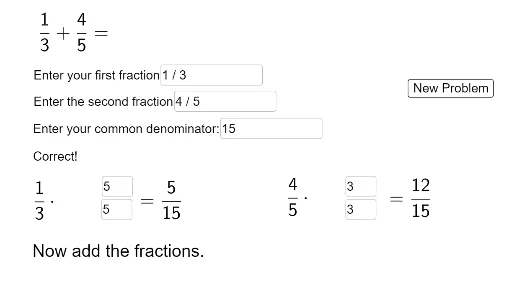
This example demonstrates the process of adding fractions. The core mathematical concepts involved are fraction addition. By examining the commands in the construction summary, one can see that the example uses text fields, input boxes, and buttons. Suitable for upper elementary or middle school students learning fraction addition.
GeoGebra Commands & Parameters
Textfield(frac1) → InputBox1Textfield(frac2) → InputBox2FractionText(frac1) → f1FractionText(frac2) → f2Textfield(comden) → InputBox3Mod(comden, Denominator[frac1]) → aMod(comden, Denominator[frac2]) → bTextfield(bn1) → InputBox4Textfield(bd1) → InputBox5Textfield(bn2) → InputBox6Textfield(bd2) → InputBox7
AI Drawing Prompt Reference
Please draw a simple diagram of fraction addition. The diagram should include two input boxes for entering two fractions, then display the text representation of these fractions, followed by a calculation box showing the modulo operation on denominators, and finally a result input box. The overall layout should be clear and easy to understand the process of fraction addition.
The prompt above was compiled from the original drawing commands and is for reference only.