
Adding Fractions with the Area Model
Loading the math board and drawing, please wait…
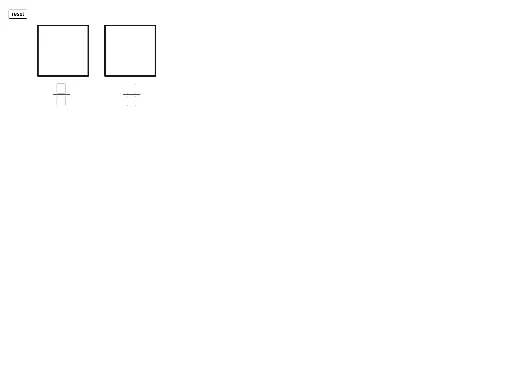
① This interactive GeoGebra example demonstrates how to add two fractions using an area model, where users input numerators and denominators and observe the visual merging of shaded parts. ② The core mathematical concepts include the meaning of fractions, addition of like and unlike denominators, equivalent fractions, and the area model representation (dividing a whole into equal parts and taking some). ③ Construction highlights: The applet uses Polygon to create rectangular regions for each fraction, Sequence and Translate to generate vertical and horizontal grid lines (Lines1Vertical, Lines2Horizontal) for equal partitioning, Textfield and InputBox for user inputs, GCD to compute the greatest common divisor for common denominators, and Fraction1Polygon/Fraction2Polygon to highlight the added portions, with a reset button for clearing. ④ It is suitable for upper elementary to middle school students learning fraction operations, and for teachers to visually explain why common denominators are needed when adding fractions.
GeoGebra Commands & Parameters
Polygon(A, A + (squarelength, 0), 4) → Whole1, f, g, h, i, C, DPolygon(B, B + (squarelength, 0), 4) → Whole2, j, k, l, m, E, FTextfield(inputnum1) → a1InputBoxNum1Textfield(inputdenom1) → a2InputBoxDenom1Textfield(inputnum2) → a3InputBoxNum2Textfield(inputdenom2) → a4InputBoxDenom2Sequence(Segment[A + ((i * Denom1Unit), 0), A + ((i * Denom1Unit), squarelength)], i, 1, inputdenom1 - 1) → Lines1VerticalSequence(Segment[B + (0, (i * Denom2Unit)), B + (squarelength, (i * Denom2Unit))], i, 1, inputdenom2 - 1) → Lines2HorizontalPolygon(A, A + ((Denom1Unit * inputnum1), 0), A + ((Denom1Unit * inputnum1), squarelength), A + (0, squarelength)) → Fraction1Polygon, a_1, n, p, qPolygon(B, B + (squarelength, 0), B + (squarelength, (Denom2Unit * inputnum2)), B + (0, (Denom2Unit * inputnum2))) → Fraction2Polygon, b, r, s, tTranslate(Lines1Vertical, Vector[(Vector[A, B] * mover1)]) → Lines1MovingTranslate(Lines2Horizontal, Vector[(Vector[B, A] * mover2)]) → Lines2MovingGCD(numsum, newdenom) → reduceby
AI Drawing Prompt Reference
Draw an area model for adding two fractions using two neighboring rectangles. In the left rectangle, partition it into equal vertical sections according to the first denominator, highlight the number of sections matching the first numerator to form the first shaded fraction area, and generate the corresponding vertical grid lines. In the right rectangle, partition it into equal horizontal sections according to the second denominator, highlight the number of sections matching the second numerator to form the second shaded fraction area, with the corresponding horizontal grid lines. Include fields for entering both numerators and denominators, and indicate a common-denominator step for reducing or adjusting the addition, with the two grid-and-shaded parts shifting to visually align as the user moves controls.
The prompt above was compiled from the original drawing commands and is for reference only.