
Add & Subtract (10,000)
Loading the math board and drawing, please wait…
In collections
Arithmetic: Skills & Concepts
Arithmetic: Skills & Concepts
Arithmetic: Skills & Concepts
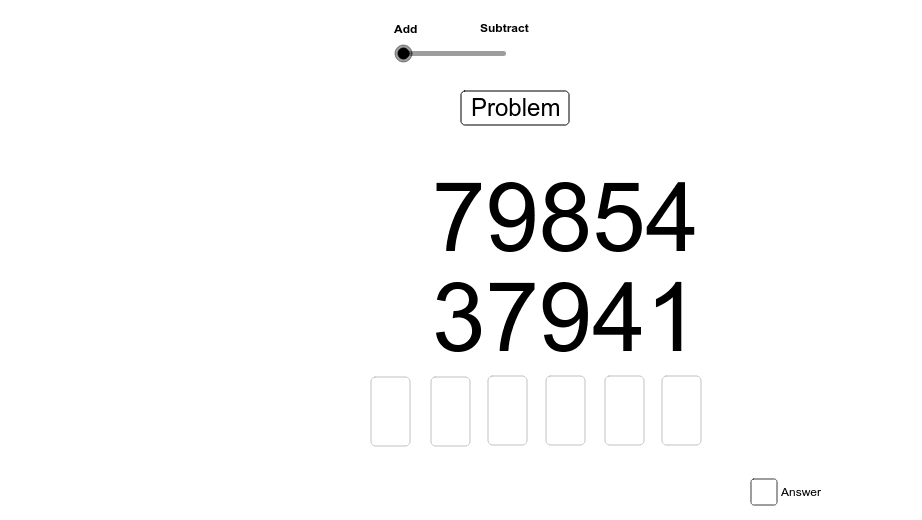
This example demonstrates addition and subtraction operations with numbers in the ten-thousands place. It involves core math concepts such as numerical operations, place value principles, and properties of addition and subtraction. Construction highlights include using commands like Random for generating random numbers, If for conditional logic, Length to measure text length, Text and Textfield for displaying and inputting text, along with multiple buttons and input boxes. It is suitable for upper elementary or lower middle school students to practice large number arithmetic and deepen their understanding of addition and subtraction.
GeoGebra Commands & Parameters
Random(100, 99999) → temp2Random(100, 99999) → temp1If(temp1 > temp2, temp1, temp2) → addend1If(temp1 < temp2, temp1, temp2) → addend2Length(Text[addend1]) → L1Length(Text[addend2]) → L2Text(Text[addend2], (m, n)) → text3Text(Text[addend1], (p, q)) → text2Textfield(A2) → inputBox2Textfield(A3) → inputBox3Textfield(A4) → inputBox4Textfield(A5) → inputBox5Textfield(A6) → inputBox6Textfield(A6) → inputBox7Textfield(A7) → inputBox8If(t > 1, answer, answer2) → uText(u) → text4Textfield(A1) → inputBox1
AI Drawing Prompt Reference
Create a math practice interface for addition and subtraction within ten-thousands. Display two randomly generated large numbers, with the larger one placed above the smaller one. Below each number, provide an empty input box for the user to type the result. Additionally, include several input boxes for entering intermediate digit-wise calculations. Show an answer area that gives feedback (correct or incorrect) based on user input. The layout should be clean and suitable for elementary students, featuring number texts, input fields, and feedback text.
The prompt above was compiled from the original drawing commands and is for reference only.