
Activity 2: Messing With Mona: Introduction to Transformations
Loading the math board and drawing, please wait…
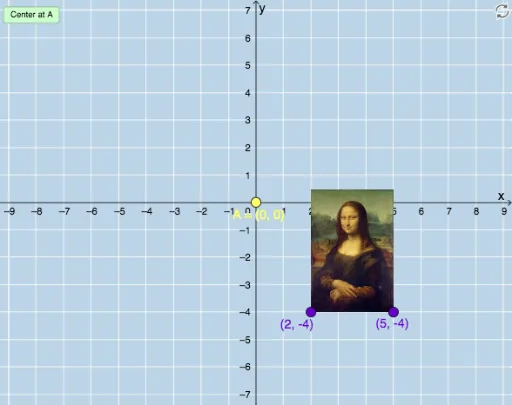
① This example demonstrates how geometric transformations—translation, rotation, reflection, and dilation—affect the position and shape of a picture (the Mona Lisa) in an interactive GeoGebra environment. ② Core mathematical concepts include geometric transformations, composition of transformations, and the relationships between corresponding points before and after each transformation. ③ Construction details: Based on the summary, the construction uses GeoGebra commands such as Vector, Translate, Rotate, Mirror, and Dilate, along with auxiliary objects like CircleArc, Circle, Line, Textfield, and a button (button1) for interactivity. The objects include the original image pic1 and its transformed copies (pic1', pic1'_2, etc.), as well as multiple points, segments, and angle markers. ④ This activity is suitable for middle school to high school students learning about geometric transformations, serving as an exploratory lesson to visualize and understand the properties of each transformation, and can also be used by teachers for classroom demonstrations.
GeoGebra Commands & Parameters
Vector(D, E) → uTranslate(pic1, u) → pic1'Translate(B, u) → B'Translate(C, u) → C'Vector(B, B') → vRotate(C, δ, A) → C'_1CircleArc(A, C'_1, C) → cCircleArc(A, C, C'_1) → dCircle(A, C) → eLine(F, G) → fMirror(pic1, f) → pic1'_2Mirror(B, f) → B'_2Mirror(C, f) → C'_2Dilate(pic1, k, A) → pic1'_3Dilate(B, k, A) → B'_3Dilate(C, k, A) → C'_3Rotate(B, δ, A) → B'_1Rotate(pic1, δ, A) → pic1'_1Circle(A, C) → pCircleArc(A, C'_1, C) → rTextfield(δ) → InputBox1Textfield(k) → InputBox2
AI Drawing Prompt Reference
Draw a geometric composition featuring an original image and its transformed versions through translation, rotation, reflection, and dilation. The original image is centered in the coordinate system, with translation indicated by a vector, rotation around a point, reflection across a line, and dilation centered at a point. Include auxiliary objects like arcs, circles, and lines to mark key points and angles during transformations. Use sliders to control the rotation angle and dilation scale, with text fields displaying these values.
The prompt above was compiled from the original drawing commands and is for reference only.