
Avenues Polygon Synthesizer with Sliders
Loading the math board and drawing, please wait…
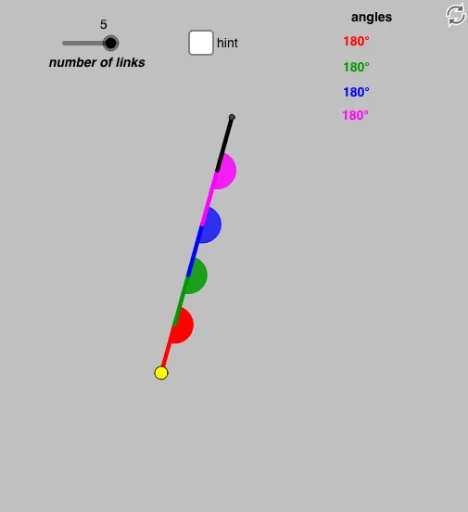
This GeoGebra example uses sliders to control angles and parameters, dynamically synthesizing different polygon shapes and revealing how the geometry evolves. It centers on polygon construction with geometric transformation tools: circle-based point generation, measuring/controlling angles, and using rotation to propagate vertices. The model leverages circle geometry and intersection logic to place special points that become polygon vertices. Construction highlights: Circle creates the guiding circle; Point defines key centers and auxiliary points; Segment connects edges; Rotate generates new vertex positions by rotating constructed elements; Angle and Ray establish and manage angular constraints and ray directions; Intersect computes the necessary intersection points that determine the polygon’s final outline. The resulting interactive setup is well-suited for teaching parametric geometry, transformation geometry, and dynamic construction methods in classes on polygons, angles, and locus/constraint-driven geometry for high school advanced students through early university learners.
GeoGebra Commands & Parameters
Circle(A, a) → dPoint(d) → BSegment(A, B) → eRotate(A, α, B) → A'Angle(A, B, A') → γCircle(B, b) → fRay(B, A') → gIntersect(f, g) → C,Segment(B, C) → h_1Rotate(B, β, C) → B'Angle(B, C, B') → δCircle(C, c) → kRay(C, B') → iIntersect(k, i) → D, FSegment(C, D) → jCircle(D, o) → pIntersect(p, j) → E,Rotate(C, ε, D) → C'Angle(C, D, C') → ζRay(D, C') → qCircle(D, o) → sRay(D, C') → tIntersect(s, t) → I,Segment(D, I) → a_1Circle(I, u) → c_1Rotate(D, η, I) → D'Angle(D, I, D') → θ_1Ray(I, D') → b_1Intersect(c_1, b_1) → J,Segment(I, J) → d_1Ray(C, A) → mRay(D, A) → lRay(I, A) → nAngle(I, A, B) → κAngle(D, A, B) → θAngle(C, A, B) → λ
AI Drawing Prompt Reference
Start with a point and draw a circle around it. Pick a point on the circle and connect it to the center to form a segment. Rotate the center around this point by an angle to get a new point, and measure that angle. Then draw a circle centered at the new point, and from the previous point cast a ray that intersects this circle, giving the next vertex. Connect these vertices with segments. Repeat this process: at each current vertex, draw a circle with a given radius, cast a ray from the previous vertex to intersect it, measure the turn angle, and generate the next vertex. Finally, connect all adjacent vertices with segments to form a polygonal chain. All vertices lie on circles centered at their predecessors, and the turn angles are controlled by sliders.
The prompt above was compiled from the original drawing commands and is for reference only.