
Activity #14: Using the Intersection Tool
Loading the math board and drawing, please wait…
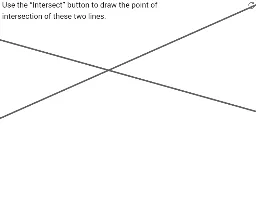
①This example demonstrates how to use the Intersection tool in GeoGebra to find the intersection point of two lines, with text feedback to check if the user's answer is correct. ②Core math concepts include geometric construction, line intersection, and the relationship between two intersecting lines. ③Construction details: from the summary, the Line command creates lines a and b, the Intersect command finds their intersection, and objects A, B, C, D, zAnswer, text1, finished, and wellDone are defined to display answers and completion status, indicating an interactive exercise with automatic evaluation. ④Suitable for middle or high school students learning basic geometry, useful for classroom practice or self-study to master the intersection tool and understand the geometric meaning of intersecting lines.
GeoGebra Commands & Parameters
Line(A, B) → aLine(C, D) → bIntersect(a, b) → zAnswer