
AAA Triangle Exploration
Loading the math board and drawing, please wait…
In collections
IMP2GBD
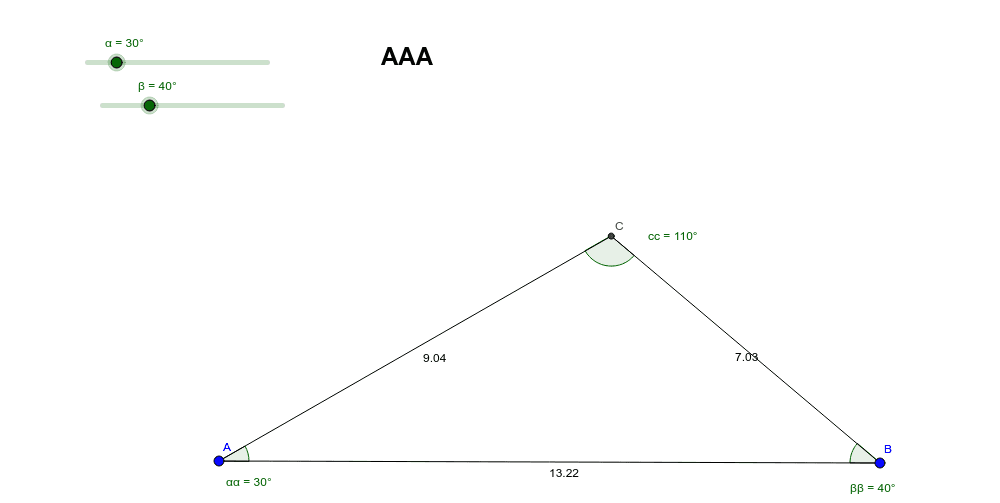
This example explores the properties of AAA triangles. Key mathematical concepts include angles, line segments, and rotation. Using GeoGebra commands such as Segment, Rotate, and Angle, dynamic observations of triangle changes can be made. Suitable for high school mathematics education and learning.
GeoGebra Commands & Parameters
Segment(A, B) → aRotate(B, α, A) → B'Angle(B, A, B') → ααRotate(A, (-β), B) → A'Angle(A', B, A) → ββRay(A, B') → bRay(B, A') → cIntersect(b, c) → CSegment(A, C) → dSegment(C, B) → eAngle(A, C, B) → cc
AI Drawing Prompt Reference
Draw triangle ABC, rotate point B around point A to get point B', rotate point A around point B to get point A', then draw line b through A and B', draw line c through B and A', let lines b and c intersect at point C, draw line segment d from A to C, draw line segment e from C to B, and finally measure the angle ACB.
The prompt above was compiled from the original drawing commands and is for reference only.