
A Twisted Eiffel Tower
Loading the math board and drawing, please wait…
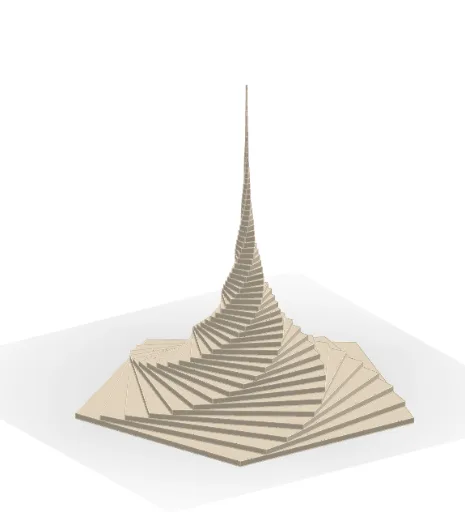
This example demonstrates a 'twisted' Eiffel Tower model, showcasing 3D geometric effects through parametric controls and similarity transformations. Core math concepts include polygon construction, similarity transformations, parametric equations, and solid geometry. Key GeoGebra commands used are Polygon, Circle, and Sequence, with objects like angles θ, radii r, and points P1/P2 for dynamic manipulation. Suitable for high school and above students learning spatial geometry, parametric equations, and transformation applications, or for mathematical modeling presentations.
GeoGebra Commands & Parameters
Polygon(P1, P2, p) → poly1, g, t, a, f_2, A, B, C, D, E, G, H, h, I, J, E_1, i, j, k, m, q, r_1, s_1Circle(O, r) → c_2Sequence(Prism[Translate[Dilate[Rotate[Polygon[P1, P2, p], (k * α)], scf^(k)], Vector[(0, 0, (k * dz))]], dz], k, 0, n) → TEpSequence(Dilate[Rotate[poly1, (k * α)], scf^(k)], k, 1, n) → polys