
A Surface in 3D
Loading the math board and drawing, please wait…
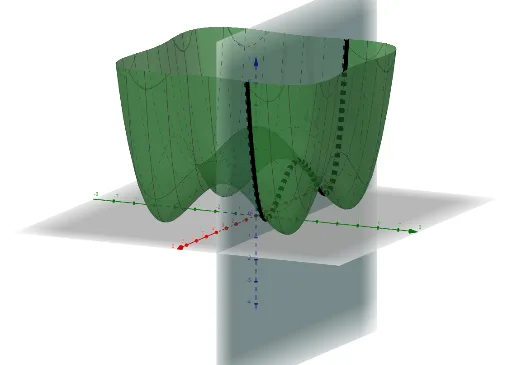
This example demonstrates the construction of a 3D surface. It involves concepts of surfaces and spheres. By using the CurveCartesian command, parameters b, a, and d can be dynamically adjusted to observe changes in the surface. Suitable for high school students and educators for teaching and research.
GeoGebra Commands & Parameters
CurveCartesian(t, 2, b(t, 2), t, -6, 6) → d
AI Drawing Prompt Reference
Draw a 3D surface and observe how it changes by adjusting parameters b, a, and d. Use the CurveCartesian command to first draw a curve with parameter t, y-coordinate 2, and x-coordinate b(t, 2), with t ranging from -6 to 6.
The prompt above was compiled from the original drawing commands and is for reference only.