
A Strange Way to Generate an Ellipse
Loading the math board and drawing, please wait…
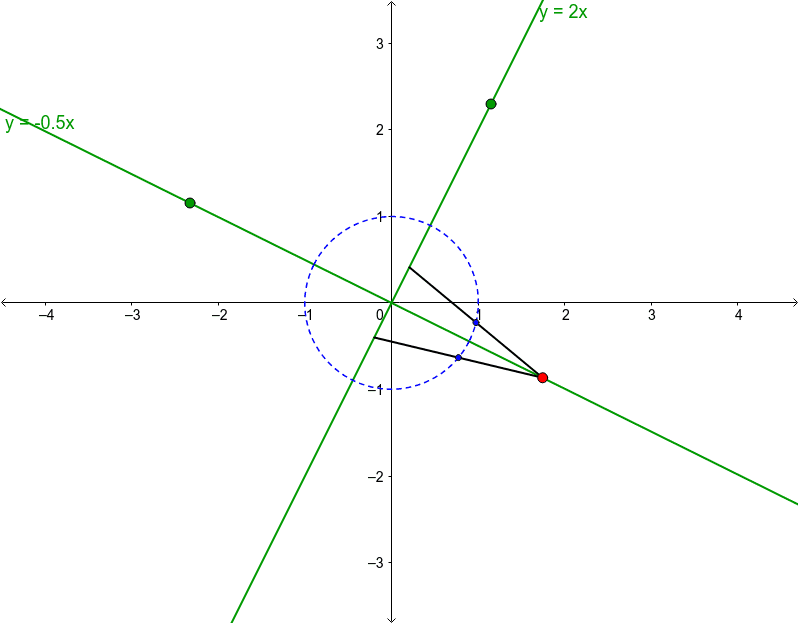
This example demonstrates how to generate an ellipse by allowing the endpoints of two rods of length 2 to slide along two lines passing through the origin. It involves core mathematical concepts such as the definition of an ellipse, coordinate geometry, linear equations, and locus. The construction uses GeoGebra commands like Line, Circle, Intersect, Point, Segment, Midpoint, and Locus to create key objects. Suitable for high school students learning coordinate geometry and conic sections, or for mathematical exploration activities.
GeoGebra Commands & Parameters
Line((0, 0), H) → eLine((0, 0), I) → aCircle((0, 0), 2 / sin(α)) → fIntersect(f, e) → F, GPoint(Segment[F, G]) → ACircle(A, 2) → cIntersect(c, a, 2) → BSegment(B, A) → bIntersect(c, a, 1) → CSegment(A, C) → dMidpoint(b) → DMidpoint(d) → ELocus(D, A) → loc1Locus(E, A) → loc2
AI Drawing Prompt Reference
Draw a coordinate plane with two lines passing through the origin, one horizontal and one slanted. Place a large circle centered at the origin intersecting the horizontal line at two points, and choose a moving point on the segment between these intersections. From this moving point, draw a circle of radius 2 that intersects the slanted line at two points. Connect the moving point to each of these two intersection points with line segments. Mark the midpoints of both segments, then trace the paths of these midpoints as the moving point slides along the horizontal line. The resulting loci are two ellipses.
The prompt above was compiled from the original drawing commands and is for reference only.