
Quaternions and Rotation: Interactive Visualization
Loading the math board and drawing, please wait…
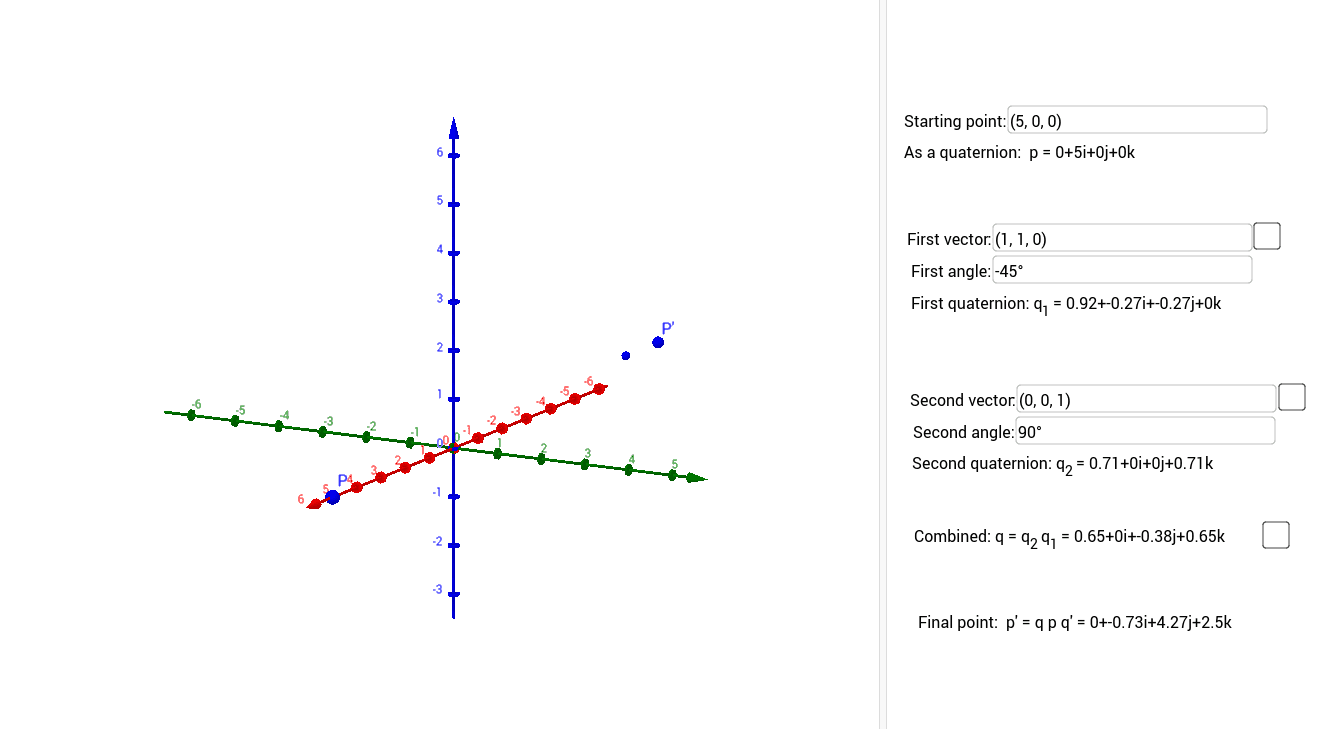
This GeoGebra example provides an interactive visualization of how quaternions represent rotations in 3D space. It demonstrates the core mathematical concepts of quaternion algebra (multiplication, conjugation), the conversion between unit quaternions and rotation matrices, and the composition of rotations. The construction uses Textfield and InputBox elements for user input of quaternion components or rotation angles, custom commands q2m and m2q for bidirectional conversion between quaternions and matrices, the Rotate command to transform point P, and Circle/Line objects to draw auxiliary circles and axes showing the rotation path. Conditional logic via If and Piecewise Functions updates text displays dynamically. This is suitable for advanced high school to university students studying linear algebra, 3D geometry, or computer graphics, and for instructors demonstrating the geometric meaning of quaternion rotation versus Euler angles.
GeoGebra Commands & Parameters
Textfield(A) → InputBox1Textfield(angle1) → InputBox2Textfield(B) → InputBox3Textfield(angle2) → InputBox4Textfield(P) → InputBox5q2m(Q1) → M1q2m(Q2) → M2q2m(Qp) → Mpm2q((M2 * M1)) → Qtm2q(((q2m[Qt] * Mp) * q2m[qconj[Qt]])) → Qp'Line((0, 0), B) → gLine((0, 0), A) → fRotate(P, angle1, f) → RIf(0 < t < 1, Rotate[P, (t * angle1), f], If[1 < t < 2, Rotate[R, ((t - 1) * angle2), g]]) → SCircle(g, R) → cCircle(f, P) → dCircle(Line[(0, 0, 0), (Element[Qt, 2, 1], Element[Qt, 3, 1], Element[Qt, 4, 1])], P) → eLine((0, 0, 0), (Element[Qt, 2, 1], Element[Qt, 3, 1], Element[Qt, 4, 1])) → h
AI Drawing Prompt Reference
Create an interactive 3D space rotation visualization showing how quaternions represent rotations. Include input boxes for quaternion components and rotation angles, custom commands to convert between quaternions and rotation matrices, and use the Rotate command to transform a point. Draw auxiliary circles and axes to show the rotation path, with dynamic text updates via conditional logic, suitable for students and instructors studying linear algebra, 3D geometry, or computer graphics.
The prompt above was compiled from the original drawing commands and is for reference only.