
A Kingly Rotation
Loading the math board and drawing, please wait…
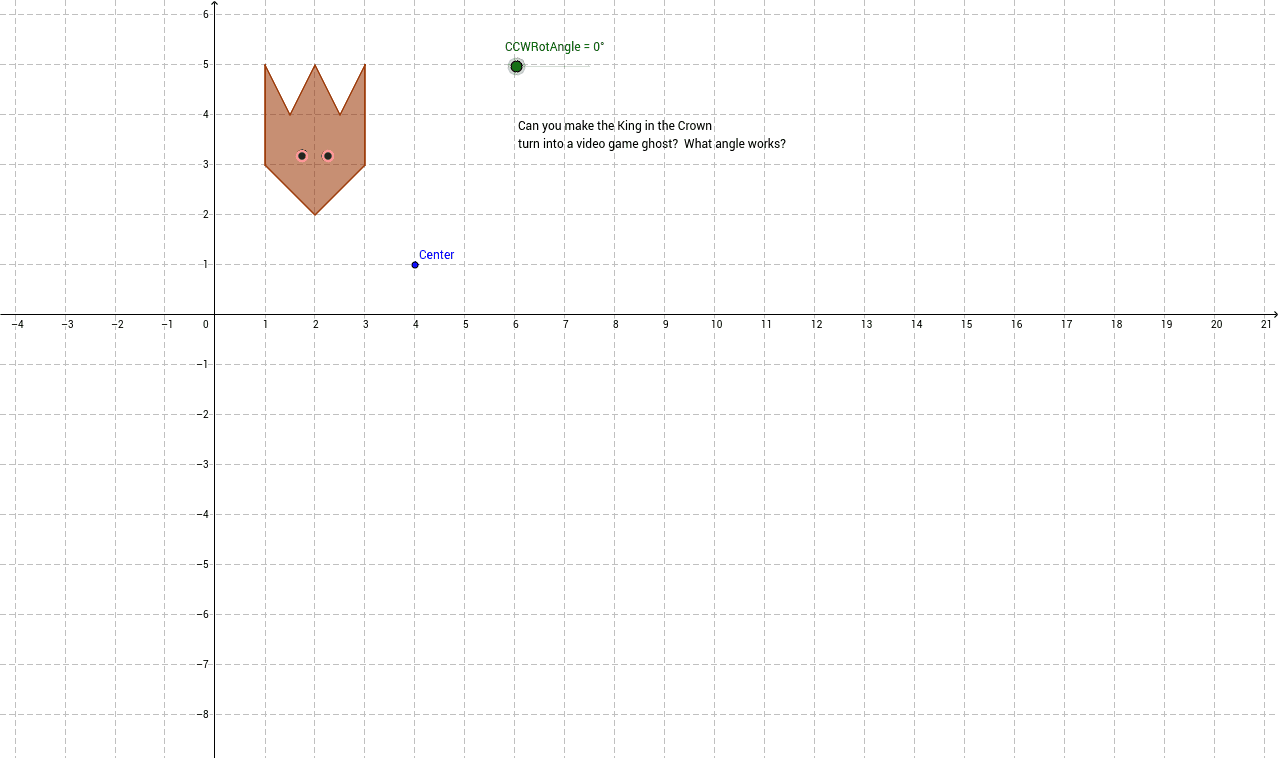
This example visualizes a 'king in his crown' shape composed of a polygon, showing how its vertices, edges, and centroid move when rotated about a point. An angle slider allows interactive control of the rotation, revealing symmetry transformations. Key mathematical concepts include rotation as a rigid motion, symmetry, centroid (barycenter) behavior, and angular coordinate changes of polygons. The construction uses GeoGebra's Polygon command to create the initial shape, Rotate to perform the rotation, and PointIn to track a specific point dynamically. It is suitable for middle and high school geometry lessons, especially when exploring rotational symmetry and coordinate transformations.
GeoGebra Commands & Parameters
Polygon(A, B, C, D, E, F, G, H) → poly1, a, b, c, d, e, f, g, hRotate(A, CCWRotAngle, I) → A'Rotate(B, CCWRotAngle, I) → B'Rotate(C, CCWRotAngle, I) → C'Rotate(D, CCWRotAngle, I) → D'Rotate(E, CCWRotAngle, I) → E'Rotate(F, CCWRotAngle, I) → F'Rotate(G, CCWRotAngle, I) → G'Rotate(H, CCWRotAngle, I) → H'Polygon(A', B', C', D', E', F', G', H') → poly1', a', b', c', d', e', f', g', h'PointIn(poly1) → JPointIn(poly1) → KPointIn(poly1') → LPointIn(poly1') → M