
90º Clockwise Rotation about a Point
Loading the math board and drawing, please wait…
In collections
IMP2GBD
Geometry Transformation
Maths for 8th Grade Units 1 to 3
Learn with Lindy: Transformations Intro
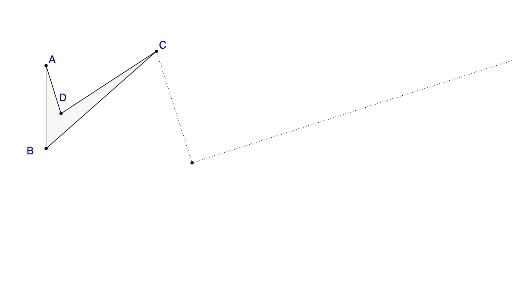
This example demonstrates a 90º clockwise rotation about a point. Key mathematical concepts include rotation, similar triangles, and line segments. Using GeoGebra commands such as Polygon, Segment, and OrthogonalLine, the construction of the rotated figure is illustrated. Suitable for students at the middle school level and above to learn geometric transformations.
GeoGebra Commands & Parameters
Polygon(A, B, C, D) → poly1, a, b, c, dSegment(C, E) → fSegment(D, E) → gSegment(A, E) → hSegment(B, E) → iOrthogonalLine(E, f) → jOrthogonalLine(E, h) → kOrthogonalLine(E, g) → lOrthogonalLine(E, i) → mPoint(m) → FPoint(l) → GPoint(k) → HPoint(j) → IRay(E, F) → nRay(E, G) → pRay(E, H) → qRay(E, I) → r
AI Drawing Prompt Reference
Draw a quadrilateral and choose a point outside it as the rotation center. From this point, draw line segments to each vertex of the quadrilateral. Then, construct perpendicular lines through the center to each of these segments. On each perpendicular line, place a point such that the distance from the center equals the original segment length, giving four rotated vertices. Finally, draw rays from the center to these new vertices and connect them to form the rotated quadrilateral, showing a 90-degree clockwise rotation about the center.
The prompt above was compiled from the original drawing commands and is for reference only.