
45° Rotation Matrix in Surd Form
Loading the math board and drawing, please wait…
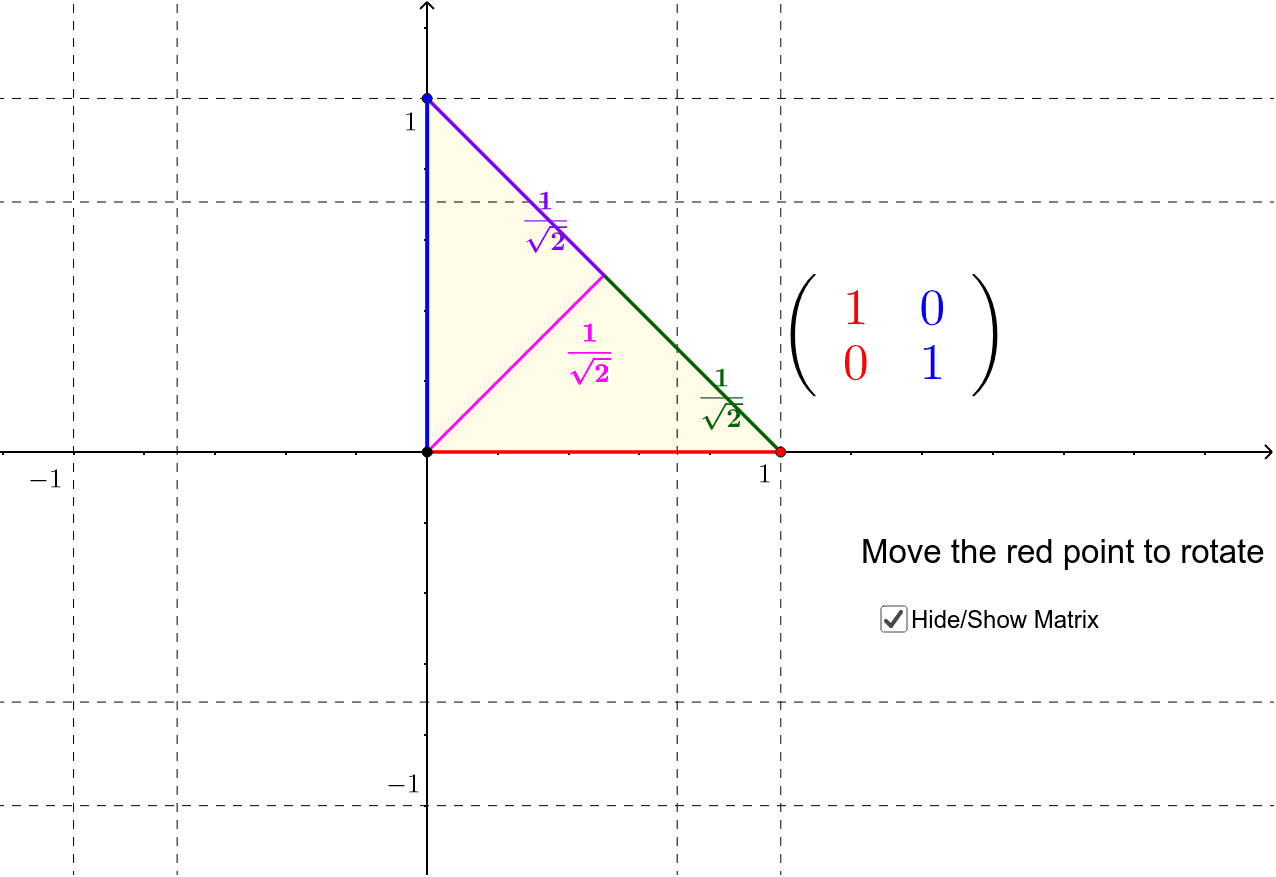
① This example illustrates the matrix for a 45-degree rotation, expressed in surd form. ② It involves key concepts such as matrix representation, rotation transformations, trigonometric values (sin45°=√2/2, cos45°=√2/2), and radical calculations. ③ The construction uses GeoGebra commands including Circle, Point, Angle, Line, OrthogonalLine, Intersect, Polygon, Midpoint, Segment, and If, building a geometric model and displaying the matrix via text objects. ④ Designed for high school or first‑year university students studying linear algebra and analytic geometry, and suitable for instructional demonstrations of deriving rotation matrices.
GeoGebra Commands & Parameters
Circle(A, C) → cPoint(c) → BAngle(C, A, B) → αLine(B, A) → fOrthogonalLine(A, f) → gIntersect(c, g, 1) → DPolygon(D, A, B) → poly1, b, d, aMidpoint(D, B) → ESegment(A, E) → hMidpoint(A, E) → FMidpoint(F, E) → GIntersect(p, n) → HIntersect(m, p) → IIntersect(m, q) → JIntersect(n, q) → KIf(y(B) < 0, "-", "") → a_3If(x(B) < 0, "-", " ") → a_1If(y(D) < 0, "-", "") → a_4If(t, If[85° < α < 95°, false, If[175° < α < 185°, false, If[265° < α < 275°, false, If[α < 5°, false, If[355° < α, false, If[Mod[α, 45°] < °, true, If[Mod[α, 45°] > 44°, true, false]]]]]]], false) → eMidpoint(B, E) → LMidpoint(D, E) → NSegment(E, B) → rSegment(D, E) → sIf(x(D) < 0, "-", "") → a_2If(e, false, If[t, true, false]) → o
AI Drawing Prompt Reference
Draw a diagram illustrating a 45-degree rotation matrix, featuring a circle and points on it, showing matrix representation through rotation and geometric constructions, with labeled angles and segments, and text objects displaying matrix elements, reflecting sine/cosine values and radical calculations, suitable for linear algebra instruction.
The prompt above was compiled from the original drawing commands and is for reference only.