
3D Vectors and Tangents: A Mod 5 Lab Construction
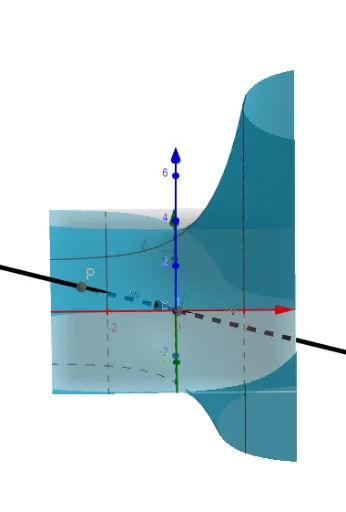
Loading the math board and drawing, please wait…
This GeoGebra example demonstrates a dynamic geometric construction combining 3D vectors, tangent functions, and integral concepts. Using the Vector and Line commands, it creates multiple vector objects (b, a, u, v, w) and lines (g, d), along with points P and A, and functions f and c, forming a composite figure that includes circles, special points, and tree diagrams. The core mathematical concepts involve 3D vector operations, tangent line equations, integral geometry, and the visualization of integer modular arithmetic (mod 5). The construction highlights how to use the Vector command to define direction and magnitude, and the Line command to generate tangents or auxiliary lines, with sliders or parameters enabling dynamic exploration of vector fields and tangent variations. This example is suitable for undergraduate or advanced high school courses in calculus and linear algebra, and can be used to investigate the visual representation of modular arithmetic in geometry, helping students understand the connections between vectors, tangents, and integrals.
GeoGebra Commands & Parameters
Vector(((sin(b) * ℯ^(a)), (cos(b) * ℯ^(a)), (-f(a, b)))) → uVector(((sin(b) * ℯ^(a)), (cos(b) * ℯ^(a)), (-f(a, b))) / sqrt(((sin(b) * ℯ^(a)))^(2) + ((cos(b) * ℯ^(a)))^(2) + 1)) → vVector(P, ((sin(b) * ℯ^(a)), (cos(b) * ℯ^(a)), (-f(a, b)))) → wLine(P, A) → g