
3D Triangle Centers
Loading the math board and drawing, please wait…
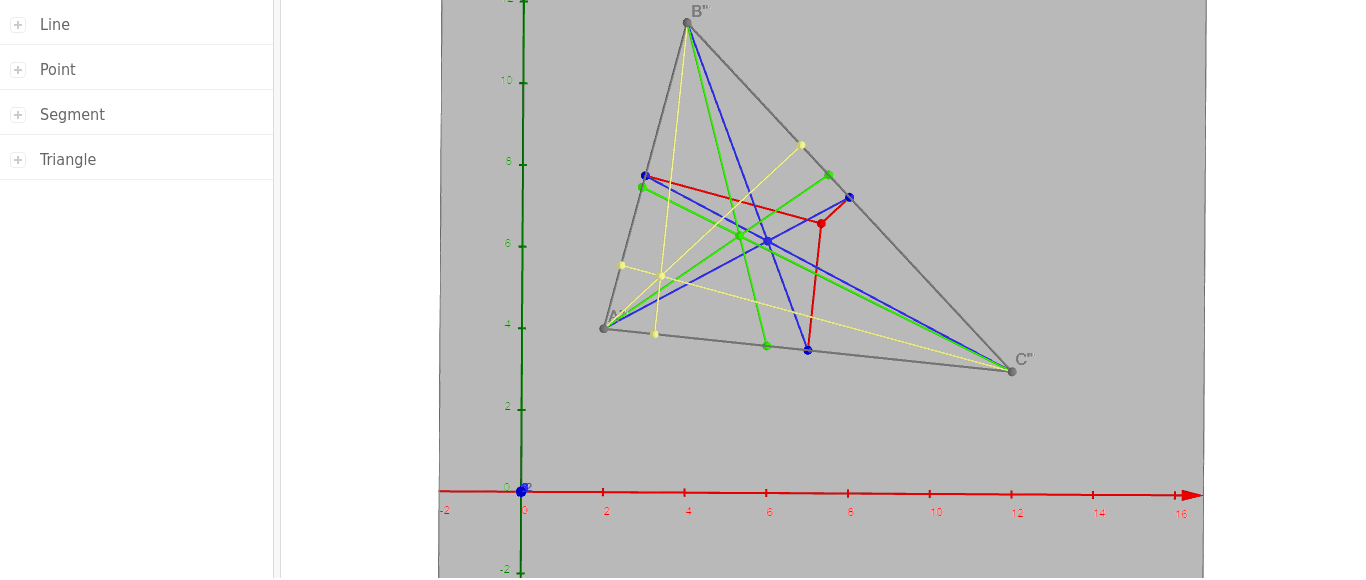
This example demonstrates the centers of a triangle in 3D space, including the centroid and orthocenter. Using GeoGebra commands like Polygon and LineBisector, it provides a visual understanding of these concepts. Suitable for high school and above students studying solid geometry and triangle properties.
GeoGebra Commands & Parameters
Polygon(A, B, C) → poly1, AB, BC, ACLineBisector(AB) → dLineBisector(BC) → eLineBisector(AC) → fIntersect(d, e) → DAngularBisector(A, B, C) → gAngularBisector(B, C, A) → hAngularBisector(C, A, B) → iIntersect(e, BC) → FIntersect(f, AC) → GIntersect(d, AB) → HSegment(D, H) → DHSegment(D, G) → DGSegment(D, F) → DFOrthogonalLine(B, AC) → tOrthogonalLine(A, BC) → a_1OrthogonalLine(C, AB) → b_1Polygon(A', B', C') → poly2, A'B', B'C', A'C'Midpoint(A'B') → H'Midpoint(B'C') → F'Midpoint(A'C') → G'Segment(A', F') → A'F'Segment(B', G') → B'G'Segment(C', H') → C'H'Intersect(B'G', A'F') → I'Polygon(A'', B'', C'') → poly3, A''B'', B''C'', A''C''AngularBisector(A'', B'', C'') → aAngularBisector(B'', C'', A'') → bAngularBisector(C'', A'', B'') → cIntersect(a, b) → E''Intersect(b, A''B'') → J''Intersect(B''C'', c) → L''Intersect(a, A''C'') → K''Segment(A'', L'') → A''L''Segment(B'', K'') → B''K''Segment(C'', J'') → C''J''Polygon(A''', B''', C''') → poly4, A'''B''', B'''C''', A'''C'''Segment(A, A''') → AA'''Segment(B, B''') → BB'''Segment(C, C''') → CC'''OrthogonalLine(B''', A'''C''', space) → mOrthogonalLine(A''', B'''C''', space) → nOrthogonalLine(C''', A'''B''', space) → pIntersect(A'''B''', p) → O'''Intersect(A'''C''', m) → P'''Intersect(B'''C''', n) → N'''Intersect(m, n) → M'''Segment(A''', N''') → A'''N'''Segment(B''', P''') → B'''P'''Segment(C''', O''') → C'''O'''
AI Drawing Prompt Reference
Draw a triangle in 3D space, highlighting its centroid, orthocenter, and the intersections of angle bisectors. Start by sketching the triangle's edges, then construct the perpendicular bisectors of each side and mark their intersection points. Next, draw the angle bisectors and indicate where they meet the sides. Finally, connect these points and label the centroid and orthocenter to illustrate these geometric concepts in three-dimensional space.
The prompt above was compiled from the original drawing commands and is for reference only.