
3D Smiley Surface
Loading the math board and drawing, please wait…
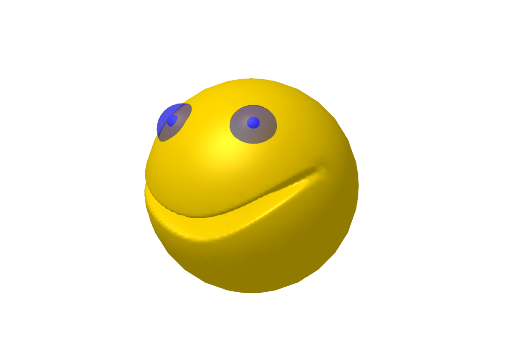
This is a 3D smiley surface model. It demonstrates the construction of surfaces in solid geometry. Using commands like PointIn, Mirror, Sphere, and Surface, a 3D smiley shape is created. Suitable for high school students or math enthusiasts to learn about solid geometry and surface construction.
GeoGebra Commands & Parameters
PointIn(Sphere[(0, 0, 0), 1]) → AMirror(A, Plane[xAxis, zAxis]) → A'Sphere((r2 * A), r1) → eSphere((r2 * A'), r1) → hSurface(((cos(u) * cos(v)) * f(v, u)), ((sin(u) * cos(v)) * f(v, u)), (sin(v) * f(v, u)), u, -3.14159, 3.141592653589793, v, -1.5708, 1.5708) → s
AI Drawing Prompt Reference
Create a 3D smiley face surface model. Start with a point on a unit sphere and its mirror image across a coordinate plane. Use these two points as centers to draw two small spheres for the eyes. Then construct the main face using a parametric surface defined by spherical coordinates, where the radial distance is modulated by a function to create a smiling curvature, resulting in a solid, three-dimensional smiley shape with raised cheeks and a curved mouth.
The prompt above was compiled from the original drawing commands and is for reference only.