
3D Rectangular Prism Demo
Loading the math board and drawing, please wait…
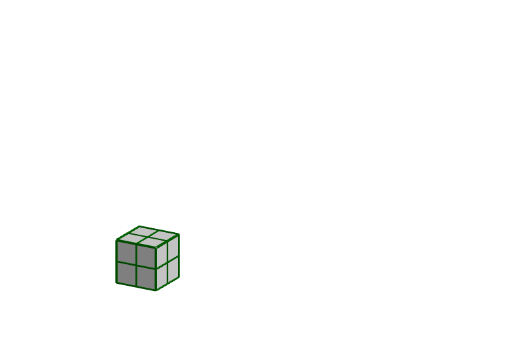
This example demonstrates the manipulation of a 3D rectangular prism by adjusting its length, width, and height via sliders. It covers core concepts in solid geometry, 3D shapes, volume calculations, and algebraic relationships. The construction utilizes GeoGebra commands like If, Prism, and Sequence, along with objects such as height, length, width, and various faces/edges. Ideal for high school students and educators exploring 3D geometry, function-graphics correlations, and spatial reasoning skills.
GeoGebra Commands & Parameters
If(HS ≥ 12, Text[floor(HS / 12)], "") → HintIf(WS ≥ 12, Text[floor(WS / 12)], "") → WintIf(LS ≥ 12, Text[floor(LS / 12)], "") → LintIf((WS - (floor(WS / 12) * 12)) / 12 ≟ 0, "", FractionText[(WS - (floor(WS / 12) * 12)) / 12]) → WfracPrism(Polygon[A, B, D, C], E) → a, F, edgeBF, edgeDG, edgeCH, edgeEF, edgeFG, edgeGH, edgeEH, G, H, faceABFE, faceBDGF, faceCDGH, faceACHE, faceEFGH, edgeAESequence(Segment[(i, 0, height), (i, width, height)], i, 0, floor(length)) → list1Sequence(Segment[(i, 0, 0), (i, 0, height)], i, 0, floor(length)) → list2Sequence(Segment[(length, i, 0), (length, i, height)], i, 0, floor(width)) → list3Sequence(Segment[(0, 0, i), (length, 0, i)], i, 0, floor(height)) → list4Sequence(Segment[(length, 0, i), (length, width, i)], i, 0, floor(height)) → list5Sequence(Segment[(0, i, height), (length, i, height)], i, 0, floor(width)) → list6Sequence(Segment[(0, 0, i), (0, width, i)], i, 0, floor(height)) → list7Sequence(Segment[(0, width, i), (length, width, i)], i, 0, floor(height)) → list8Sequence(Segment[(0, i, 0), (0, i, height)], i, 0, floor(width)) → list9Sequence(Segment[(i, width, 0), (i, width, height)], i, 0, floor(length)) → list10Sequence(Segment[(0, i, 0), (length, i, 0)], i, 0, floor(width)) → list11Sequence(Segment[(i, width, 0), (i, 0, 0)], i, 0, floor(length)) → list12If(b, 12, 1) → skips
AI Drawing Prompt Reference
Draw a 3D rectangular prism controlled by three sliders for length, width, and height. Show all faces and edges of the prism, with hint texts appearing when slider values exceed 12. Start by drawing the bottom and top faces, then connect corresponding edges to form the sides. Finally, use lines to represent the internal structure and intersections of the faces, ensuring a clear and complete visual representation.
The prompt above was compiled from the original drawing commands and is for reference only.