
3D Cubic Bezier Curves
Loading the math board and drawing, please wait…
In collections
Mathematics of Computer Graphics
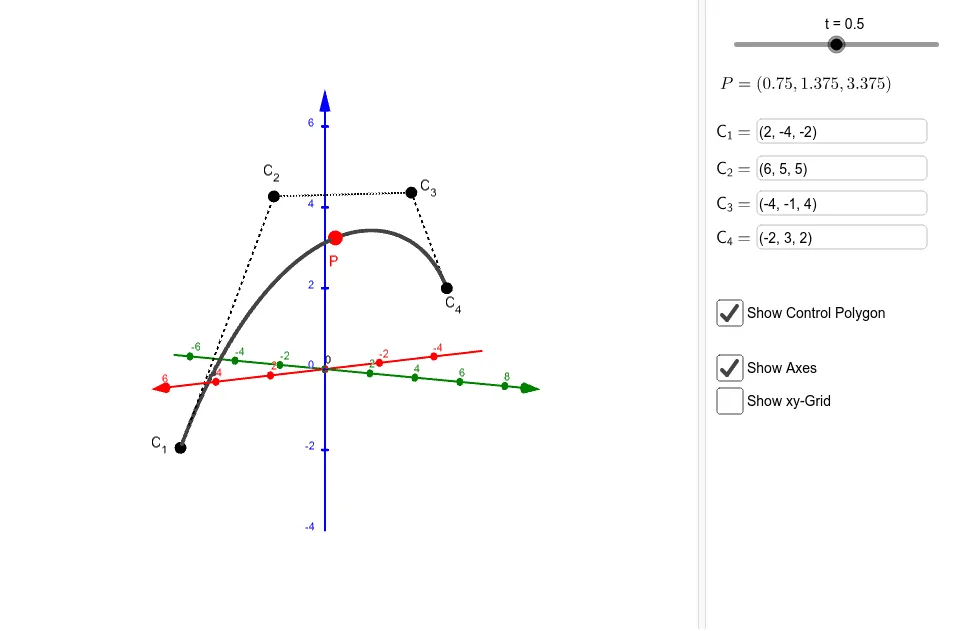
This example demonstrates the construction and visualization of cubic Bezier curves in 3D space. It involves core mathematical concepts like vector operations, locus tracking, parametric equations, and 3D analytical geometry. Key GeoGebra commands and objects used include Vector, Locus, Segment, and Textfield. Suitable for high school students and math enthusiasts learning spatial curve construction and parametric thinking.
GeoGebra Commands & Parameters
Vector(C_1, C_1 + (3, -1, 5)) → v_1Vector(C_4, C_4 + (5, 1, 2)) → v_2Locus(P, t) → loc1Segment(C_1, C_2) → fSegment(C_2, C_3) → gSegment(C_3, C_4) → hTextfield(C_1) → InputBox1Textfield(C_2) → InputBox2Textfield(C_3) → InputBox3Textfield(C_4) → InputBox4
AI Drawing Prompt Reference
Visualize a cubic Bezier curve in 3D space by constructing it step-by-step. Start with four points and connect them to form three line segments. Then, draw two vectors starting from the first point, pointing in the direction of the first and third segments. Track a point moving along these vectors using parametric equations to create the Bezier curve. Label the coordinates of the four points next to them.
The prompt above was compiled from the original drawing commands and is for reference only.