
2D Vector Grid
Loading the math board and drawing, please wait…
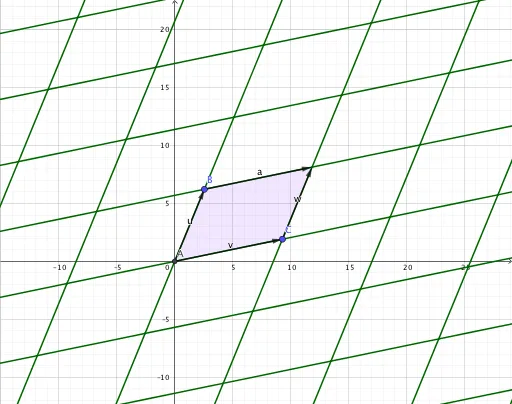
This example demonstrates the construction of a 2D vector grid. Key mathematical concepts include vectors and equilateral triangles. Using GeoGebra commands such as Intersect, Vector, Translate, and Polygon, a series of equilateral triangle grids can be constructed. Suitable for high school mathematics education and learning about vectors and triangles.
GeoGebra Commands & Parameters
Intersect(xAxis, yAxis) → AVector(A, B) → uVector(A, C) → vTranslate(C, u) → C'Vector(C, C') → wTranslate(B, v) → B'Vector(B, B') → aPolygon(A, C, C', B) → q1, a_1, c, c', bSequence(Sequence[Segment[A + (j * v) + (k * u), A + (k * u) + ((j + 1) * v)], k, -20, 20], j, -20, 20) → L_2Sequence(Sequence[Segment[A + (j * v) + (k * u), A + ((k + 1) * u) + (j * v)], k, -20, 20], j, -20, 20) → L_1
AI Drawing Prompt Reference
Draw a 2D vector grid starting from the origin, with two non-collinear vectors forming a parallelogram. Use this parallelogram as a basic unit, repeatedly translating it along both vector directions to cover the entire plane. The grid consists of two families of parallel line segments: one family parallel to the first vector, the other parallel to the second vector, intersecting to form countless congruent parallelograms. Each parallelogram is bounded by two adjacent vectors, creating a uniform oblique grid pattern that illustrates vector addition and translation.
The prompt above was compiled from the original drawing commands and is for reference only.