
2D Vector Arithmetic Demonstration
Loading the math board and drawing, please wait…
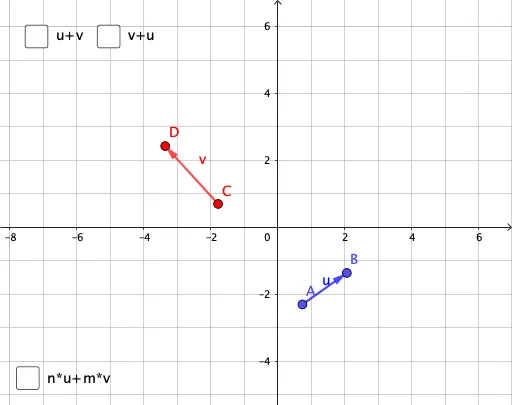
This example demonstrates fundamental operations on 2D vectors, including vector creation, addition, and scalar multiplication. The core mathematical concepts covered include coordinate representation of vectors, the parallelogram law for vector addition, and multiplication of vectors by scalars. Construction highlights: using the Vector command to create vectors from two points, using the Sequence command to generate vector sequences; demonstrating vector relationships through dynamic points A, B, C, D and vectors u, v, w. Suitable for secondary school mathematics students learning vectors for the first time, or as a visual aid in college-level analytic geometry courses.
GeoGebra Commands & Parameters
Vector(A, B) → uVector(C, D) → vVector((0, 0), (0, 0) + u) → aVector(B - A, B - A + v) → bVector((0, 0), (0, 0) + v) → dVector(D - C, D - C + u) → eSequence(Vector[(0, 0) + ((i * sn) * u), (0, 0) + (((i + 1) * sn) * u)], i, 0, abs(n) - 1) → l1Sequence(Vector[(0, 0) + (n * u) + ((i * sm) * v), (0, 0) + (n * u) + (((i + 1) * sm) * v)], i, 0, abs(m) - 1) → l2
AI Drawing Prompt Reference
Create a 2D vector arithmetic demonstration showing vector creation, addition, and scalar multiplication. Use dynamic points to form vectors, demonstrating vector addition through the parallelogram law and showing the product of vectors with scalars. Start by drawing two vectors, then generate a sequence of new vectors using these, and display their coordinate representations and relationships.
The prompt above was compiled from the original drawing commands and is for reference only.