
Positions on the Number Line by Fractions and Decimals by Elen
Loading the math board and drawing, please wait…
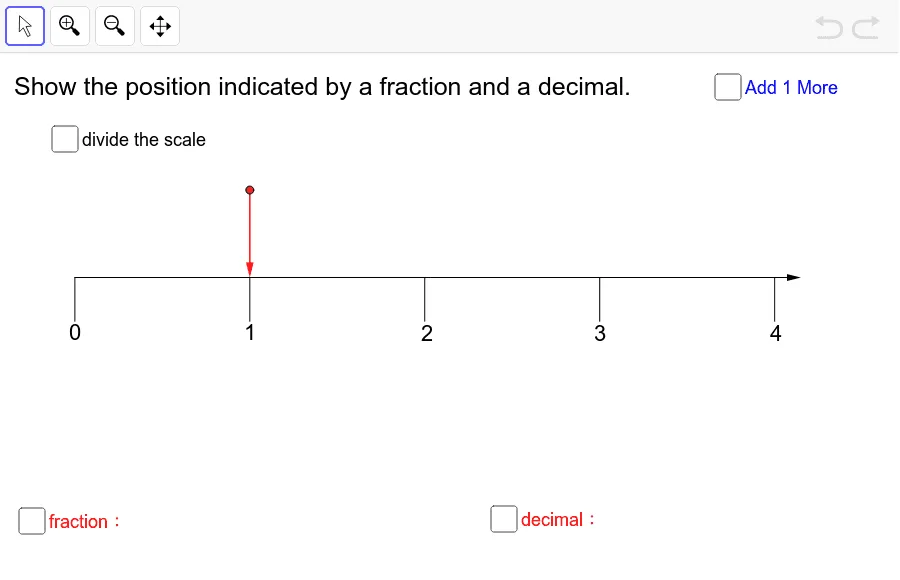
This example demonstrates positions on the number line using fractions and decimals. Key mathematical concepts include fractions and decimals. Using GeoGebra commands such as Point, Segment, Sequence, and Vector, specific points on the number line can be constructed. Suitable for students from upper elementary to middle school to learn number line representation and number conversion.
GeoGebra Commands & Parameters
Point(yAxis) → BSegment((0, -0.55), (0, -0.8)) → bSequence(Segment[(i, 0), (i, -1 * 0.25)], i, 0, 4) → list6Sequence(Segment[((2 * i - 1) / 2, 0), ((2 * i - 1) / 2, -1 * 0.2)], i, 1, 4) → list7Sequence(Sequence[Segment[(i / 2 + 0.1 * j, 0), (i / 2 + 0.1 * j, -1 * 0.15)], j, 1, 4], i, 0, 7) → list8Sequence(Sequence[Segment[(i / 20 + 0.01 * j, 0), (i / 20 + 0.01 * j, -1 * 0.06)], j, 1, 4], i, 0, 79) → list9Sequence(Segment[((2 * i - 1) / 20, 0), ((2 * i - 1) / 20, -1 * 0.1)], i, 1, 40) → list10Point(Sequence[(i, L / 2), i, 0, 4, 0.01]) → AVector((0, 0), (4.15, 0)) → aVector(A, (x(A), 0)) → uPoint(Sequence[(i, L / 2), i, 0, 4, 0.01]) → A'Vector(A', (x(A'), 0)) → v
AI Drawing Prompt Reference
Draw a horizontal line representing a number line with marked positions for integers and fractions. Start by plotting the origin and extending a vertical segment upwards. Then, create segments on the horizontal line to mark integer positions from 0 to 4, with small vertical segments above each. Next, add finer markings for fractions like 0.25 and 0.5 within the range, also with small vertical segments above. Finally, place a point above the line and draw two vectors extending from it to the left and right, representing the extension of the number line.
The prompt above was compiled from the original drawing commands and is for reference only.