
Exponent Operations Demonstration
Loading the math board and drawing, please wait…
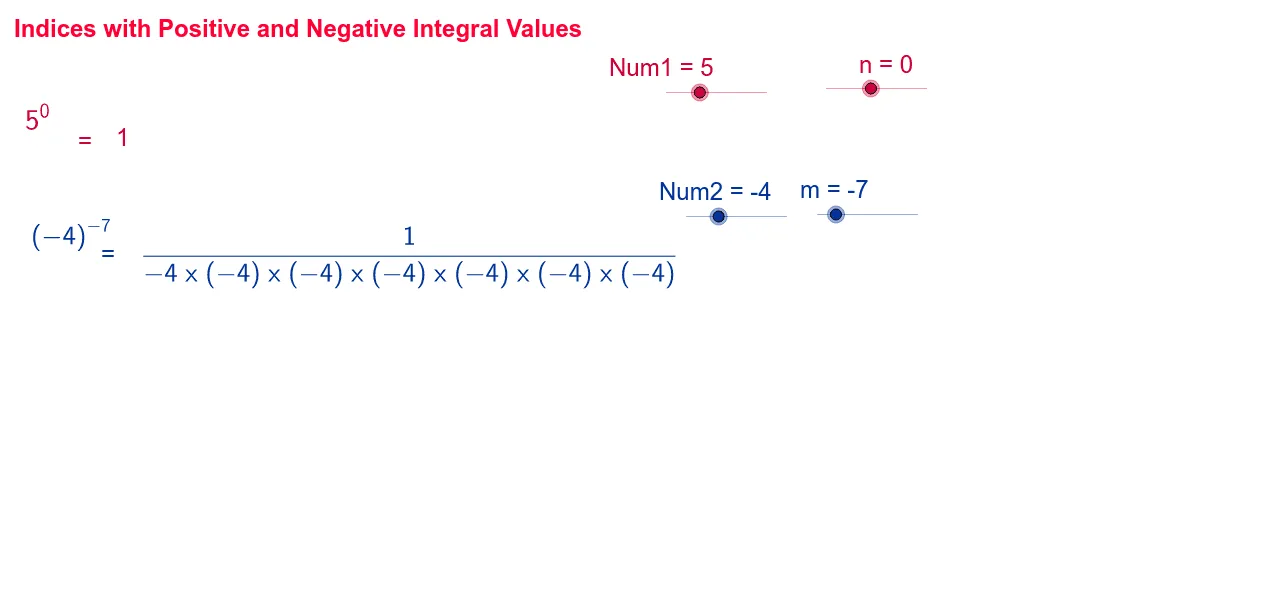
This example demonstrates exponent operations involving positive and negative integers. Key mathematical concepts include exponent rules. Construction highlights the use of the Join command and If conditional statement for handling positive and negative exponents. Suitable for middle school and above students to learn exponent operations.
GeoGebra Commands & Parameters
Join({{""}, Sequence[textNum1, i, 1.0, n - 1.0]}) → numeratorlist1Join({{""}, Sequence[textNum1Latex, i, 1.0, -1.0 - n]}) → denominatorlist1If(Num2 > 0.0, Num2, "" + Num2) → If[Num2 > 0, "(" + Num2 + ")", "" + Num2]Join({{""}, Sequence[textNum2Latex, i, 1.0, -1.0 - m]}) → denominatorlist2Join({{""}, Sequence[textNum2, i, 1.0, m - 1.0]}) → numeratorlist2
AI Drawing Prompt Reference
Create a demonstration of exponent operations involving positive and negative integers, including the rules for positive and negative exponents. First, draw the sequence for positive exponents, then the sequence for negative exponents, use the Join command to connect the text sequences, and handle positive and negative exponents with the If statement.
The prompt above was compiled from the original drawing commands and is for reference only.