
旋转体的盘-圆筒法体积计算
几何画板及绘图内容加载中,请稍等……
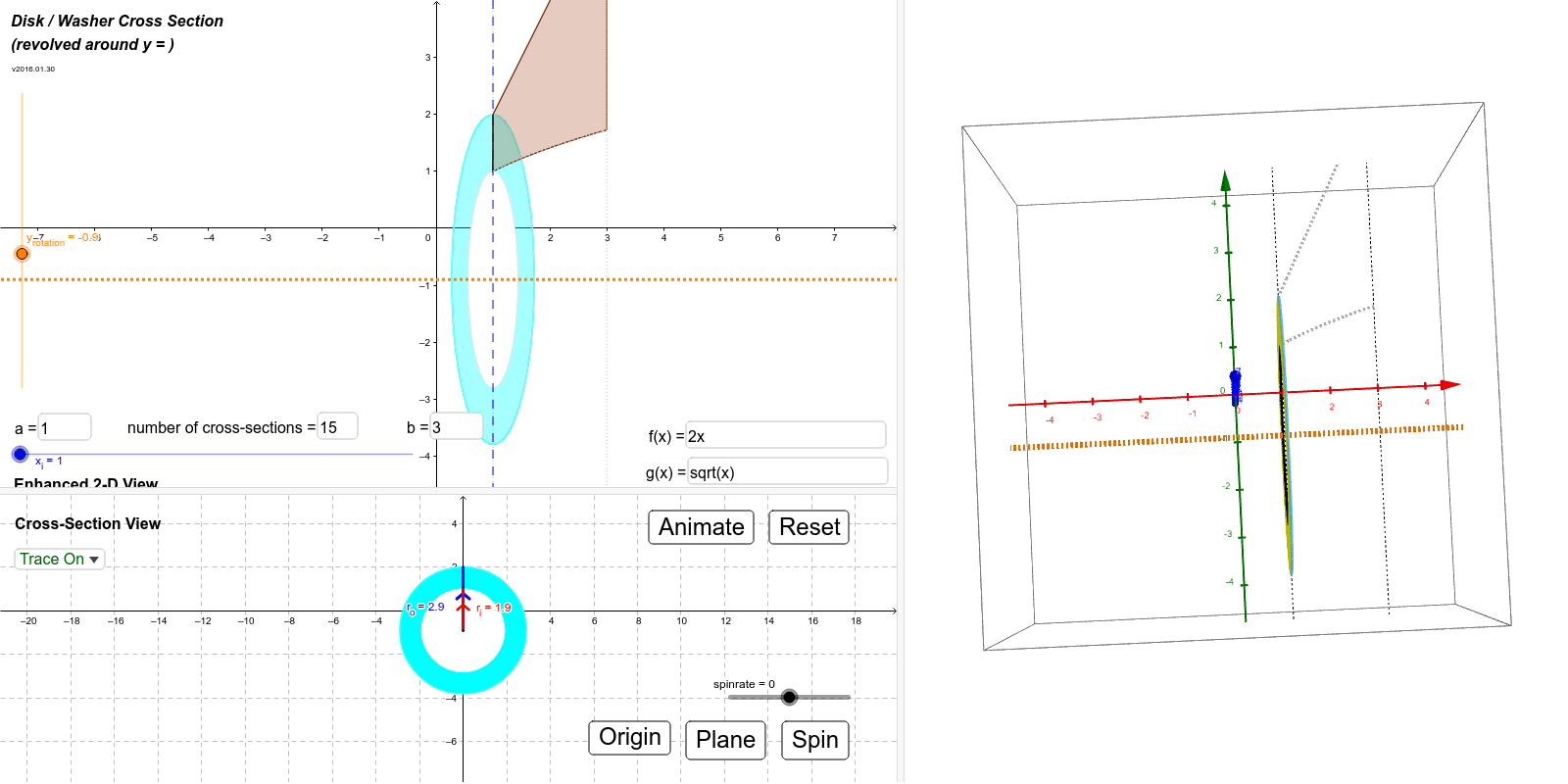
本示例演示了盘-圆筒法计算旋转体体积的过程。通过两个二维视图和三维视角,可以修改函数、旋转轴和区间等参数。使用了Intersect, Min, Max, If, Textfield, IntegralBetween, Segment, Circle, Plane等GeoGebra命令。适合微积分课程中的体积计算教学。
GeoGebra 命令及参数
Intersect(g, l_c, (1, 1)) → P_{gc}Intersect(f, l_c, (1, 2)) → P_{fc}Min(abs(rad_f), abs(rad_g)) → rad_iMax(abs(rad_f), abs(rad_g)) → rad_oIf(rad_o ≠ rad_f, f_i, f_i) → rwash_{3out}Textfield(a) → inputBox_aTextfield(b) → inputBox_bIntersect(f, l_b, (3, 6)) → P_{fb}Intersect(g, l_b, (3, 1.7320508075688772)) → P_{gb}Intersect(f, l_a, (1, 2)) → P_{fa}Intersect(g, l_a, (1, 1)) → P_{ga}IntegralBetween(f, g, Min[x(P_{fa}), x(P_{ga})], Max[x(P_{fb}), x(P_{gb})]) → RSegment((0, y_{rotation}), (0, If[abs(rad_f) ≥ abs(rad_g), y(P_{fc}), y(P_{gc})])) → r_oSegment((0, y_{rotation}), (0, If[abs(rad_f) < abs(rad_g), y(P_{fc}), y(P_{gc})])) → r_iCircle(P, rad_i, y = 0) → cs3_iCircle(P, rad_o, y = 0) → cs3_oPlane((x_i, y_{rotation}, rad_o), x = x_i) → pln3dTextfield(n) → InputBox1If(rad_o ≟ rad_f, If[sgn(rad_f) ≥ 0, f_i(x) - y_{rotation}, y_{rotation} - f_i(x)], If[sgn(rad_g) ≥ 0, g_i(x) - y_{rotation}, y_{rotation} - g_i(x)]) → r_{outer}If(rad_o ≠ rad_f, If[sgn(rad_f) ≥ 0, f_i(x) - y_{rotation}, y_{rotation} - f_i(x)], If[sgn(rad_g) ≥ 0, g_i(x) - y_{rotation}, y_{rotation} - g_i(x)]) → r_{inner}IntegralBetween((π * r_{outer}(x)^(2)) - r_{inner}(x)^(2), x, a, b) → volumeCircle(P, rad_i, y = 0) → cs3_{i2}SelectedIndex(lstTraceOpt) → lstTOIndexIntersect(rwash_{3out}, l_c, (1, 2)) → P_{oc}If(rad_o ≠ rad_f, f_i, g_i) → rwash_{3in}Intersect(rwash_{3in}, l_c, (1, 1)) → P_{ic}Segment(P_{oc}, P_{ic}) → r_{fg}Sequence(Segment[Rotate[P_{fc}, i°, l_r], Rotate[P_{gc}, i°, l_r]], i, 0, 360, 1) → wash_3Sequence(Rotate[P_{oc}, i°, l_r], i, 0, 360, 1) → wash_{3o}Sequence(Rotate[P_{ic}, i°, l_r], i, 0, 360, 1) → wash_{3i}Textfield(tf) → InputBox_fTextfield(tg) → InputBox_g