
旋转演示
几何画板及绘图内容加载中,请稍等……
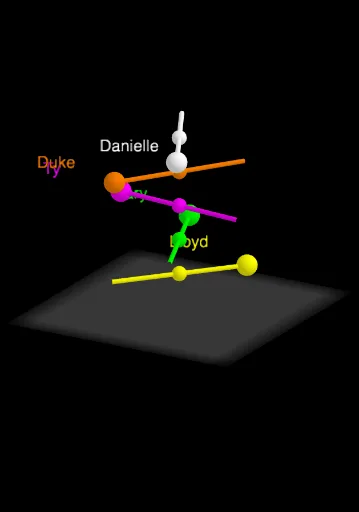
①本范例演示旋转运动中图形的动态变化与几何关系;②涉及核心数学概念包括三角函数、微分方程、积分、参数方程等;③构造要点:使用Intersect(交点)、Point(点)、Circle(圆)、Rotate(旋转)、Mirror(镜像)、Segment(线段)、Cylinder(圆柱)、OrthogonalLine(垂线)、Plane(平面)等命令;④适合高中及以上学生及数学爱好者用于理解空间几何与微积分应用。
GeoGebra 命令及参数
Intersect(xAxis, yAxis) → APoint(xAxis) → BCircle(A, B) → cRotate(B, α, A) → UnitSpeedRotate(B, (2 * α), A) → TwoRotate(B, (3 * α), A) → ThreeRotate(B, (4 * α), A) → FourRotate(B, (5 * α), A) → FiveMirror(Five, A) → Five'Segment(Five, Five') → fCylinder(c, (-(-5))) → a, d, bOrthogonalLine(Five, xOyPlane) → gOrthogonalLine(Three, xOyPlane) → hOrthogonalLine(Two, xOyPlane) → iOrthogonalLine(UnitSpeed, xOyPlane) → jOrthogonalLine(B, xOyPlane) → kOrthogonalLine(Four, xOyPlane) → lPoint(zAxis) → CPoint(zAxis) → DPoint(zAxis) → EPoint(zAxis) → FPoint(zAxis) → GPlane(F, xOyPlane) → ePlane(E, xOyPlane) → mPlane(D, xOyPlane) → nPlane(C, xOyPlane) → oIntersect(j, d, 1) → DaniellePoint(i) → DukeIntersect(h, m) → TyIntersect(l, n) → GaryIntersect(g, o) → LloydMirror(Danielle, G) → H'Mirror(Duke, F) → I'Mirror(Ty, E) → J'Mirror(Gary, D) → K'Mirror(Lloyd, C) → L'Segment(Danielle, H') → pSegment(Duke, I') → qSegment(Ty, J') → rSegment(Gary, K') → sSegment(Lloyd, L') → tSegment(A, UnitSpeed) → f_1Segment(A, B) → g_1
AI 绘图提示语参考
绘制一个旋转演示,包括一个圆和围绕圆心旋转的点。首先画出x轴和y轴的交点A,然后在x轴上取点B。以A和B为圆心和半径画圆c。接着围绕A点旋转B点,形成一系列旋转点,如UnitSpeed、Two、Three、Four、Five等,并镜像Five得到Five'。连接Five和Five'形成线段f。以c为底面,高度为-5画圆柱a、d、b。画出各个旋转点在xOy平面上的垂线,如g、h、i、j、k、l。在z轴上取五个点C、D、E、F、G,画出它们在xOy平面上的平面e、m、n、o。最后,连接各个旋转点和它们镜像点形成的线段,如Danielle和H',Duke和I',Ty和J',Gary和K',Lloyd和L',以及A和UnitSpeed,A和B。
以上提示语为根据原始绘图命令整理而来,仅供参考。