
线性方程组的解法
几何画板及绘图内容加载中,请稍等……
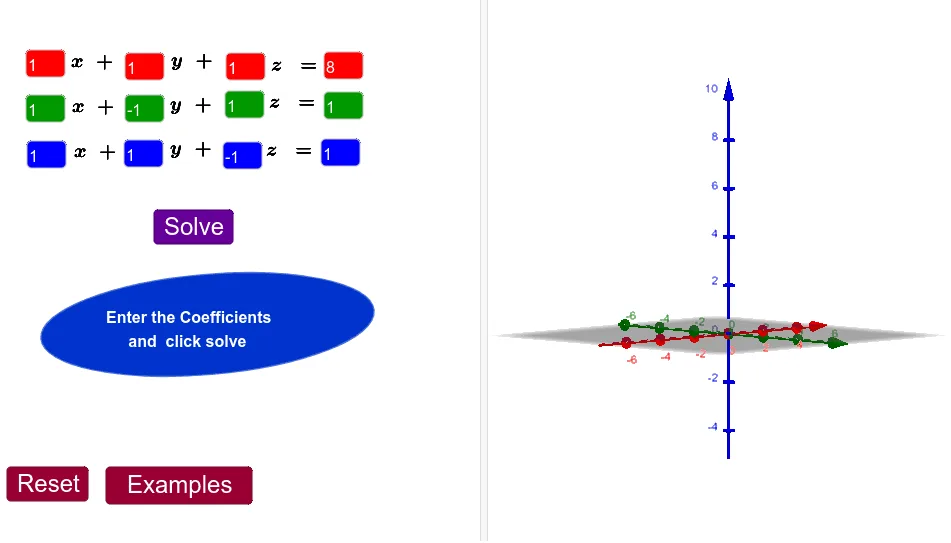
本范例演示了解线性方程组的方法。通过使用GeoGebra命令,可以直观地展示线性方程组的解法过程。构造摘要中提到了Element, IntersectPath, Intersect等命令,这些命令用于创建和操作几何对象。适合初中及以上学生学习线性代数和解析几何。
GeoGebra 命令及参数
Element(L_1, 1) → A5Element(L_1, 2) → B5Element(L_1, 3) → C5Element(L_1, 4) → D5Element(L_2, 1) → A6Element(L_2, 2) → B6Element(L_2, 3) → C6Element(L_2, 4) → D6Element(L_3, 1) → A7Element(L_3, 2) → B7Element(L_3, 3) → C7Element(L_3, 4) → D7IntersectPath(a, b) → fIntersectPath(a, c) → gIntersectPath(b, c) → hIntersect(f, g) → ATextfield(A1) → InputBox1Textfield(B1) → InputBox2Textfield(C1) → InputBox3Textfield(D1) → InputBox4Textfield(A2) → InputBox5Textfield(B2) → InputBox6Textfield(C2) → InputBox7Textfield(D2) → InputBox8Textfield(A3) → InputBox9Textfield(B3) → InputBox10Textfield(C3) → InputBox11Textfield(D3) → InputBox12IntersectPath(a, b) → jEllipse(B, C, D) → p