
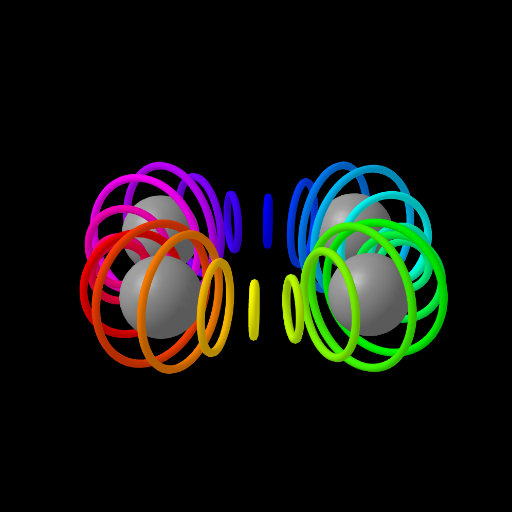
球体旋转与彩虹环
几何画板及绘图内容加载中,请稍等……
①本范例演示了球体旋转时产生的彩虹环现象;②涉及的核心数学概念包括球体几何、旋转变换、随机过程及轨迹;③作图要点提炼自构造摘要,使用了Circle(圆)、Zip(压缩)、Rotate(旋转)、CurveCartesian(笛卡尔曲线)、Element(元素)等GeoGebra命令;④适合高中及以上学生及数学爱好者学习立体几何与变换应用。
GeoGebra 命令及参数
Circle((x(w), y(w), z(w)), 1, Vector[(0, 1, 0)]) → dZip(Rotate[Circle[(x(w), y(w), z(w)), g(rot, t), Vector[(0, 1, 0)]], ((2 * rot) * π / max)], rot, Lm) → LCRotate(Translate[Sphere[(0, 0, 0), 1.7], w], t / 4) → sCurveCartesian((cos((4 * θ)) + 3; θ), θ, 0, (2 * π)) → bZip(Rotate[s, ((2 * rot) * π / 4)], rot, Ln) → LSElement(LC, A1) → B1Element(LC, A2) → B2Element(LC, A3) → B3Element(LC, A4) → B4Element(LC, A5) → B5Element(LC, A6) → B6Element(LC, A7) → B7Element(LC, A8) → B8Element(LC, A9) → B9Element(LC, A10) → B10Element(LC, A11) → B11Element(LC, A12) → B12Element(LC, A13) → B13Element(LC, A14) → B14Element(LC, A15) → B15Element(LC, A16) → B16Element(LC, A17) → B17Element(LC, A18) → B18Element(LC, A19) → B19Element(LC, A20) → B20Element(LC, A21) → B21Element(LC, A22) → B22Element(LC, A23) → B23Element(LC, A24) → B24
AI 绘图提示语参考
画一个旋转的球体,展示其表面生成的彩虹环。球体围绕垂直轴旋转,轨迹上形成彩色光环。先画出球体,再通过旋转和变换生成光环,光环由多个点组成,呈现随机分布的彩色轨迹。最后将球体和光环组合,展示旋转与彩虹环的数学关系。
以上提示语为根据原始绘图命令整理而来,仅供参考。