
多项式因式分解示例 by Walch Education
几何画板及绘图内容加载中,请稍等……
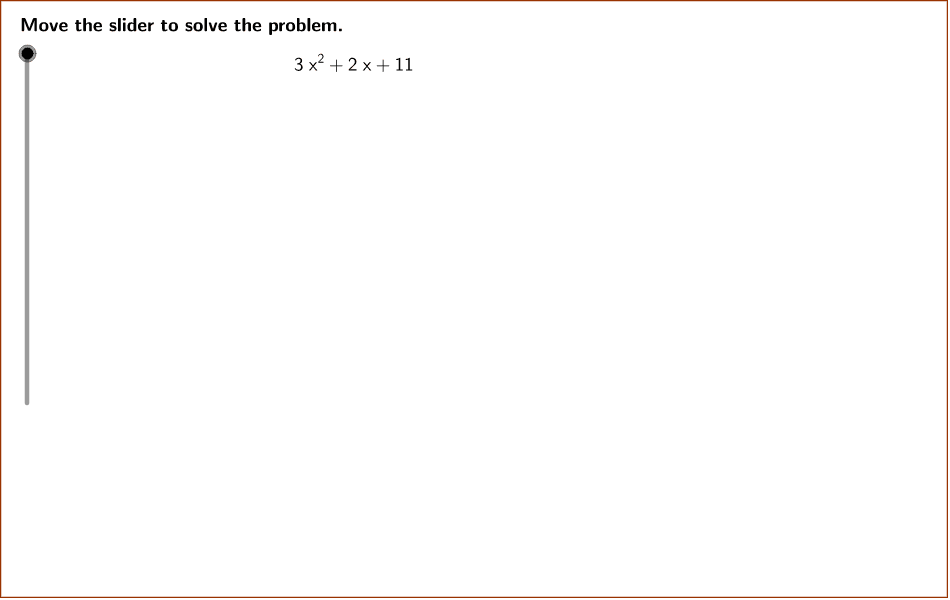
本示例演示如何通过多项式恒等式来因式分解多项式3x^2 + 2x + 11。核心数学概念包括多项式、因式分解和恒等式。使用了GCD、Simplify、PrimeFactors等GeoGebra命令。适合初中数学教学。
GeoGebra 命令及参数
GCD(b, denom) → firstGCDPolygon((instructionEdge, y(Corner[1])), (instructionEdge, y(Corner[3])), Corner[4], Corner[1]) → instruction, instructionRight, instructionTop, instructionLeft, instructionBottomLine((x(Corner[1]) + ((2 * indent) * screenwidth), 0), yAxis) → align1Line((x(Corner[1]) + ((3 * indent) * screenwidth), 0), yAxis) → align2Line((x(Corner[1]) + ((4 * indent) * screenwidth), 0), yAxis) → align3Simplify((a * x^(2)) + (b * x) + c) → fPrimeFactors(absDiscriminant) → primeFactorsUnique(primeFactors) → uniqueFactorsLength(uniqueFactors) → numberFactorsSequence(CountIf[x ≟ Element[uniqueFactors, i], primeFactors], i, 1, numberFactors) → factorRepetitionsProduct(Sequence[Element[uniqueFactors, i]^(floor(Element[factorRepetitions, i] / 2)), i, 1, numberFactors]) → outsiderootIf(discriminant < 0, "i", "") → imaginary_1GCD(outsideroot, denom) → secondGCDTextfield(a) → inputBox1Textfield(b) → inputBox2Textfield(c) → inputBox3
AI 绘图提示语参考
展示多项式 3x^2 + 2x + 11 的因式分解过程,首先绘制函数图像,然后通过计算判别式和因数分解,标出实根和虚根,并用不同颜色区分因式分解后的各部分,最后将系数 a、b、c 分别以文本框形式展示在图像旁边。
以上提示语为根据原始绘图命令整理而来,仅供参考。