
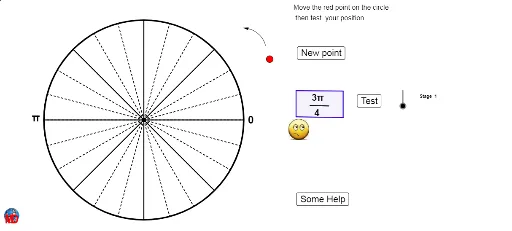
在单位圆上放置弧度角
几何画板及绘图内容加载中,请稍等……
①本范例演示如何在单位圆上放置并可视化一个弧度角;②涉及的核心数学概念包括角度、单位圆、三角函数和解析几何;③作图要点——从下方『构造摘要』提炼用到了Random, Corner, Element, If, Circle, Intersect, Sequence, CircleArc, Point, Vector, Polygon, Take, Segment等GeoGebra命令/对象;④适合高中数学学生学习和理解三角函数与单位圆的关系,可用于课堂教学或自学。
GeoGebra 命令及参数
Random(1, voirindexMax) → choixRandom(1, IndexMax) → choixindexCorner(4) → C4Element(Denominateur, choix) → ChoixDenElement(Numerateur, choix) → NumIf(Num ≟ 0, "0", If[Num ≟ 1, "", If[Num ≟ -1, "", Num + ""]]) → TextnumIf(ChoixDen ≟ 1, Textnum, Textnum + "π/" + ChoixDen + " ") → AnglepiElement(Rayon, choixindex) → rCircle((0, 0), 5) → cIntersect(c, xAxis) → A, BSequence(Rotate[B, d°, (0, 0)], d, 15, 360, 15) → liste1Sequence(Segment[(0, 0), Element[liste1, i]], i, 0, Length[liste1]) → liste2Sequence(Rotate[B, d°, (0, 0)], d, 45, 360, 45) → liste3Sequence(Segment[(0, 0), Element[liste3, i]], i, 0, Length[liste3]) → liste4CircleArc(C, D, E) → dPoint(d) → FVector(F, E) → uPolygon(H, I, J, K) → poly1, h, i, j, kTake(liste1, 1, 6) → liste5Sequence(Text["" + " π / " + (12 - k), Element[liste5, k] + (0.2, 0.1)], k, 1, 6) → liste6If(ChoixDen ≟ 1, Textnum, Textnum + "π") → texte11If(ChoixDen ≟ 1, Textnum, ChoixDen + " ") → texte12Segment(L, M) → e